


The Best OCR Software for Financial Documents
Automate data extraction of bank statements, invoices, purchase orders, and other financial documents with Doxis’ AI-powered OCR. Available via API & SDK.
Trusted by 1000+ brands worldwide







What is OCR for Financial Documents?
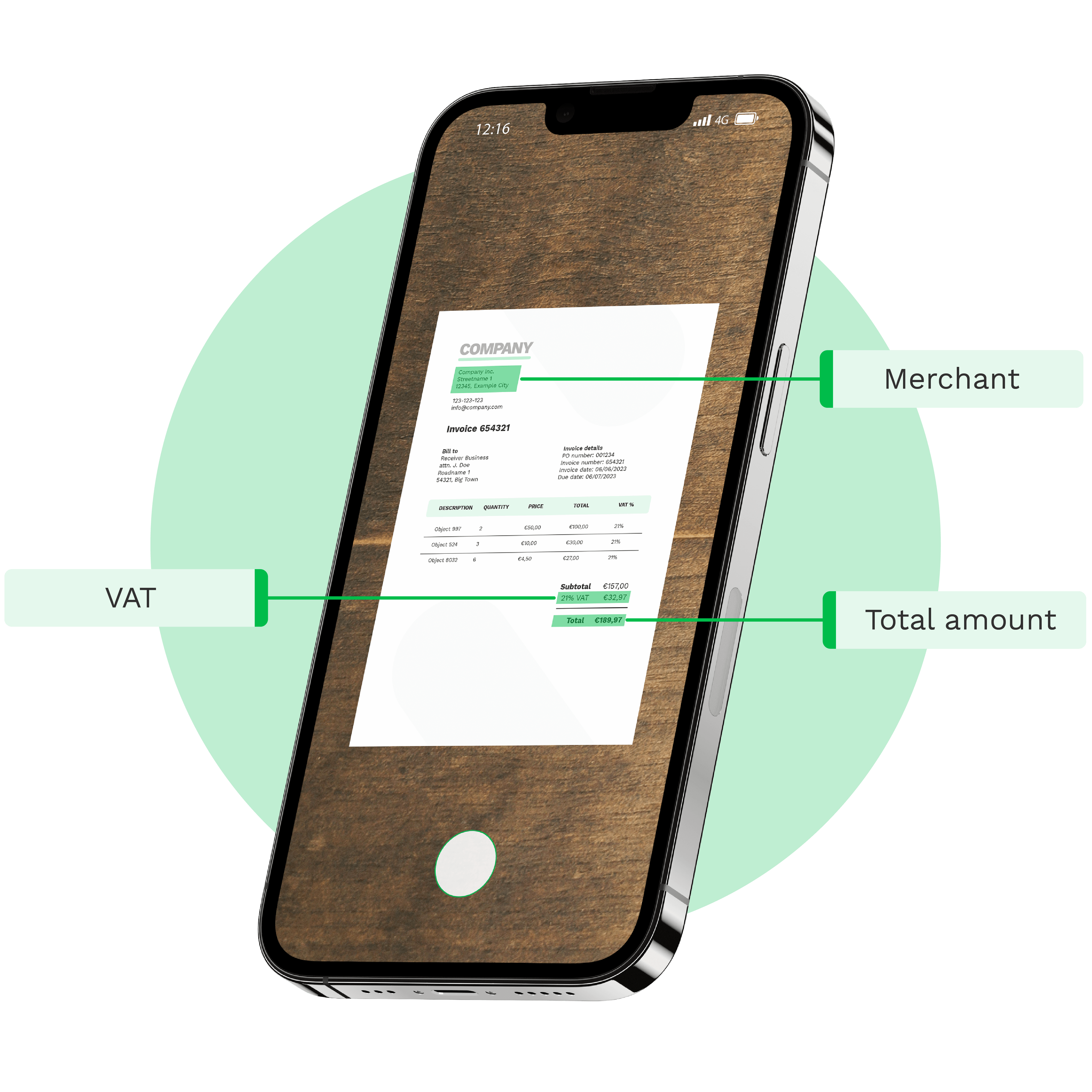
OCR for Financial Documents is an advanced AI technology designed for text recognition and data extraction from complex financial paperwork, such as invoices, bank statements, tax forms, and receipts. With Doxis’ financial OCR solutions, you can automatically capture, extract, verify, and forward critical financial data using 50+ integration options, including our API and SDK.
Benefit From Automatic Financial Document Processing with Doxis
Doxis does not stop at data extraction. We also classify the documents with AI, anonymize sensitive data for compliance and verify the extracted data via third party APIs such as Chamber of Commerce APIs, and European VAT database.
Reduce costs & turnaround time
Doxis’ AI-powered OCR software is able to process financial documents in seconds. Reduce overhead and operational costs and save time with automated document workflow.
Prevent fraud & enhance compliance
Prevent document fraud with Doxis’ intelligent document verification. Ensure GDPR complince through automated data anonymization, safeguarding customer and employee data.
Enjoy easy integration via API & SDK
You can implement our APIs and SDKs into any software or application you’re currently using. All of our solutions are well-documented and created in a developer-friendly way. In general, the implementation of our solution can be done within a day.
BRANDS WE HELP
Join 1000+ Other Brands in Automating Your Workflows
Discover how leading brands use Doxis’ OCR to automate, optimize, and scale their document workflows.
KEY FEATURES
Financial Document Data Extraction With OCR in Seconds
Doxis’ AI-powered OCR simplifies financial document scanning and processing with advanced features, delivering precise, structured data swiftly.
Fast data extraction
Our AI-powered OCR processes financial documents in 0.5 to 4 seconds, depending on the uploaded file size.Document classification
Automatically classify financial documents based on data fields such as country, language, line items, VAT, currency, and more.Reach 99% accuracy
Experience the high accuracy of financial document OCR in text conversion, ensuring every field is captured correctly.Document scanning
Scan and digitize your financial documents easily in real-time by leveraging mobile scanning through Doxis’ OCR SDK.
Multi-language support
Our OCR supports various financial documents in all Latin-alphabet languages ensuring versatility and flexibility.20+ formats supported
Convert financial documents to JSON, CSV, PDF, XML, XLS, XLSX, UBL, PNG, TIFF, DOC, DOCX, JPG, and many more.Workflow automation
Automate all financial document processing workflows with a single solution from digital archiving to 2-way matching.Fraud detection
Detect financial fraud with smart metadata, copy-move, and grayscale analysis with built-in AI algorithms.
We Support a Wide Range of Financial Documents
With Doxis, you can automatically extract and validate data from 20+ financial document types in all Latin languages. Do you have a special request? Don’t hesitate to contact our team.
Data Fields On Financial Documents You Can Extract
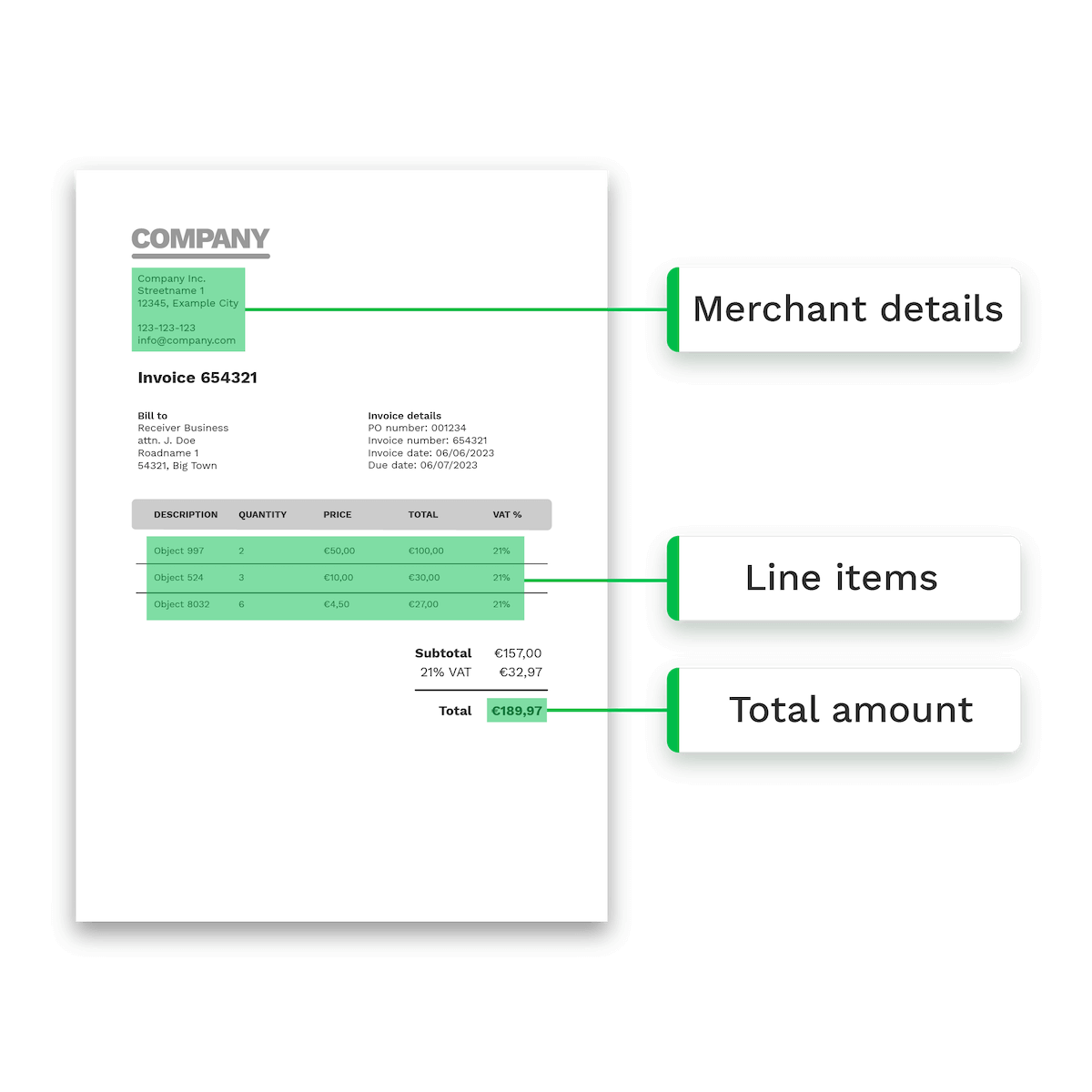
With Doxis, you can extract and verify over 150+ data fields. See some of the examples below:
Personal and Identification Information
- Addresses
- Date of Birth (DOB)
- Chamber of Commerce ID
- Tax ID Numbers
- Contact Details
- Insurance Numbers
- Names
- IBAN
- BIC Numbers
- Email Addresses
Financial and Transaction Information
- Document Numbers
- Purchase Dates
- Line Items
- Total Amounts
- Merchant Name
- Income
- Employment Date
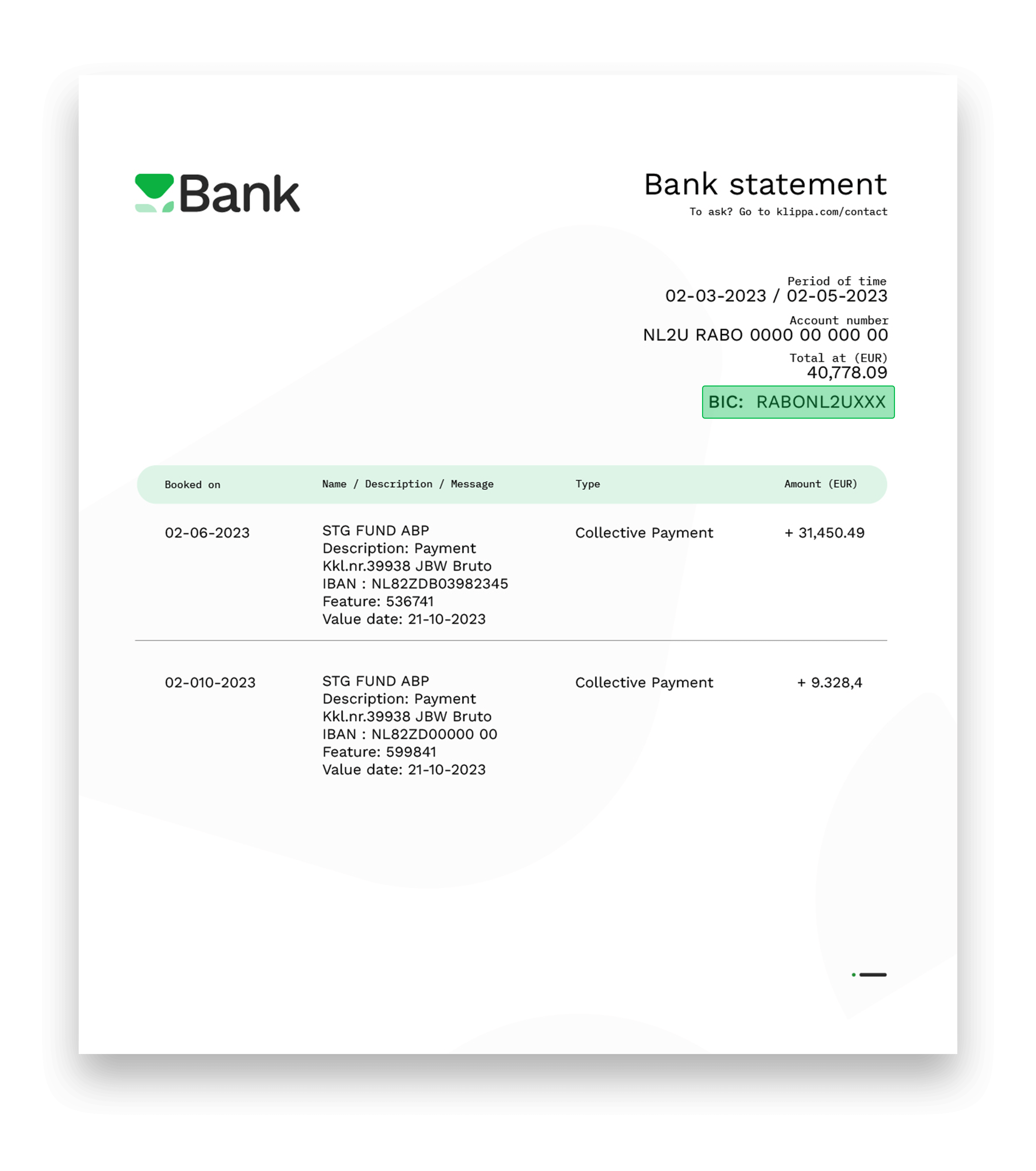
How AI OCR for Financial Documents Works
Process financial documents automatically by integrating our OCR via API or SDK. Discover how Doxis’ OCR software extracts data from financial documents in three simple steps.

Directly scan your financial document with our scanner SDK or upload them through our OCR API
Scan your invoices with Doxis’ document scanning SDK or upload your picture or PDF file to the OCR API. Uploading can be done via a email, FTP, third-party application, web or mobile app.
The document can be sent both uncropped (with the background) and cropped (without). If the picture was sent uncropped, our OCR API automatically crops the document. Doxis’ scanning SDK can be used in mobile apps as well.
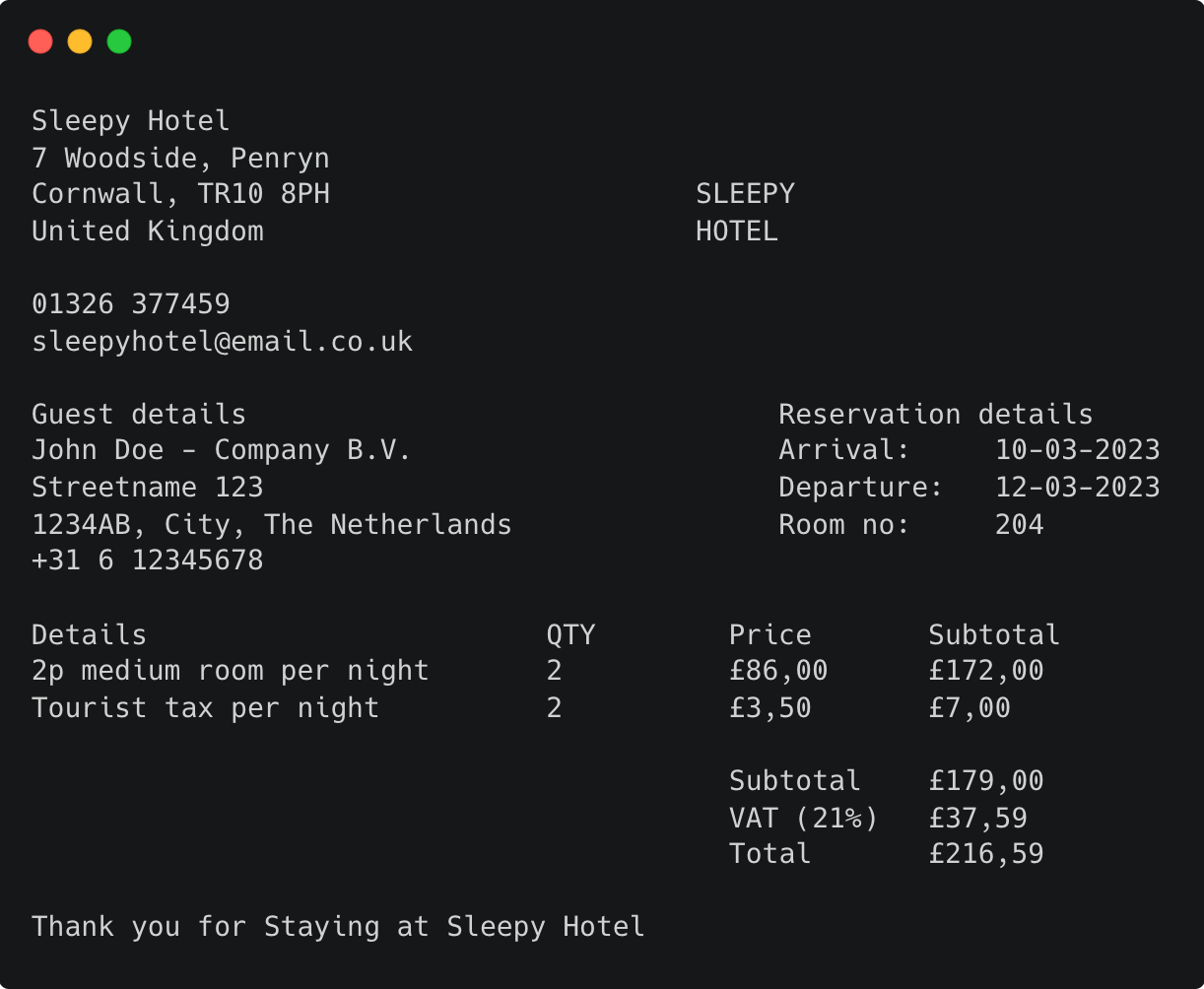
Transform image to TXT with OCR for financial documents
As soon as we receive the picture or PDF, our OCR engine will convert it to a TXT file. The software extracts all data from the financial document, but it is not yet structured.
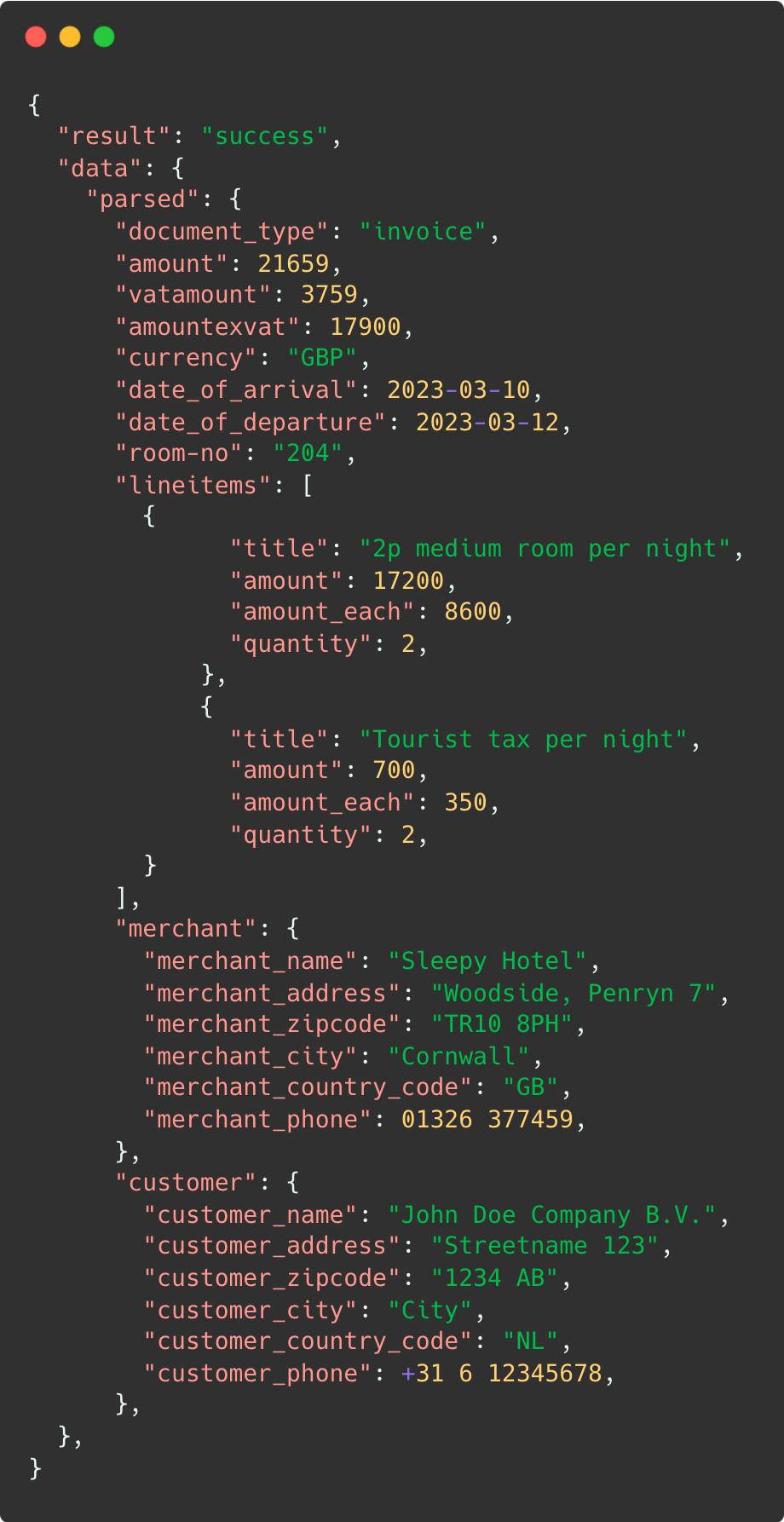
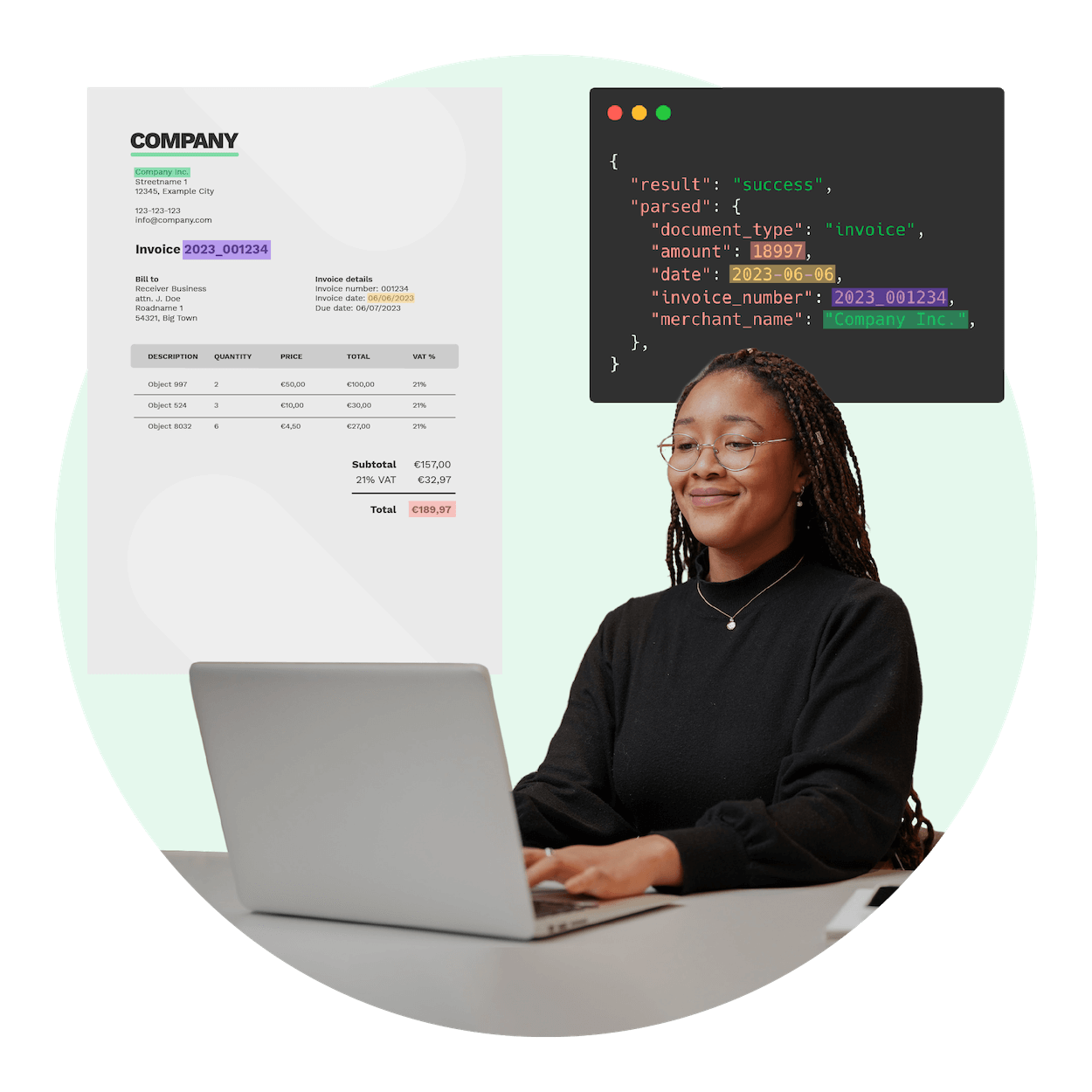
Receive JSON output from the API
The parser takes the TXT which was extracted by the OCR in the previous step and converts it into JSON, using machine learning algorithms. Then, the JSON file is returned as an output from the API.
From this point on, you can easily process the financial document in your database or third-party integration such as ERP or accounting software for example.
Do you want to test our solution for free?
Automate More Than Just Data Extraction
Use Cases of OCR for Financial Documents
Financial documents are everywhere. It can be very time-consuming to process these documents manually, especially in larger quantities. Luckily, automated data extraction on financial documents is possible with OCR.
Accounts Payable Automation
Automatically extract information such as invoice number, date, vendor details, and line-item details from paper or digital invoices with OCR for a streamlined accounts payable process.
Expense Management
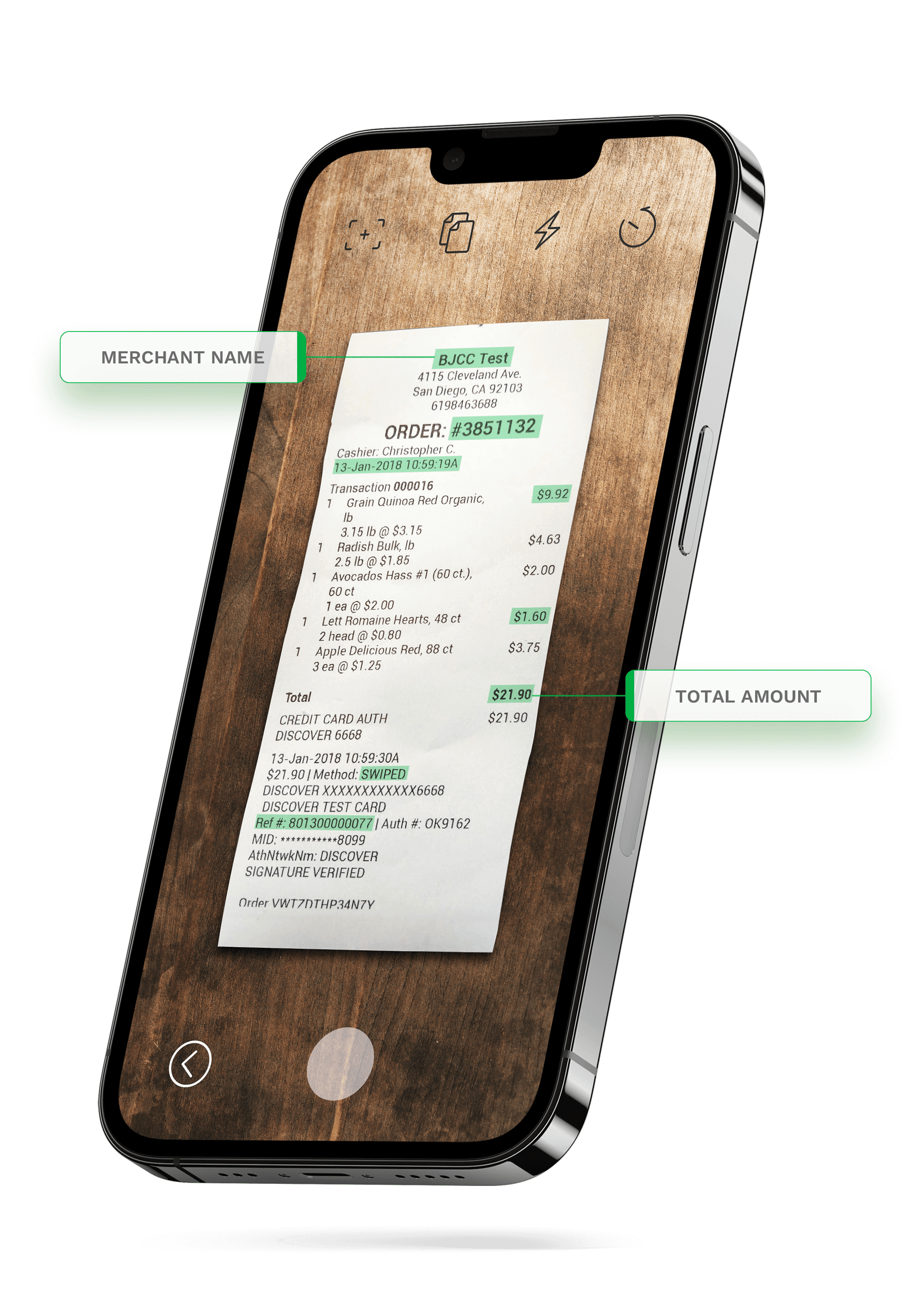
Enable your employees to scan or photograph receipts for automated data extraction using OCR for financial documents. Seamlessly create digital expense reports to save time and improve data accuracy.
Credit Risk Assessment
Financial institutions can use OCR to extract data from credit card statements and financial statements, enabling automated credit scoring and risk assessment for loan applications.
Bank Statement Verification
Convert paper and digital bank statements into machine-readable text with OCR technology by swiftly extracting key data such as transaction dates, amounts, and payees. This automated process enhances accuracy, reduces turnaround times, and ensures compliance of the bank statement verification procedures.
Claims Processing
You can streamline claims processing by using OCR to automate information extraction claim forms and supporting documents, expediting claim approvals and payouts.
Financial Data Collection
Personal finance apps and wealth management platforms can use OCR to help users capture financial data from various sources, such as bank statements, investment reports, and bills, for a comprehensive financial overview.
Loan Application Processing
Use OCR to extract relevant information from loan applications, speeding up the approval process by automating data entry.
VAT Reclaim
Digitize and collect invoices and receipts using OCR software. Automatically extract crucial VAT-related information, verify it and store it in a structured database for further VAT reclaim processing.
Tax Document Digitization
OCR for financial documents can be used to convert tax documents and receipts into digital format, making it easier for individuals and businesses to prepare tax returns.
- ✓ Secure

- ✓ Compliant
- ✓ Protected
- ✓ Hosted in EU
- ✓ Trusted




Frequently Asked Questions
What is OCR for financial documents?
What features does financial document OCR provide?
Is OCR for financial documents secure?
Can financial OCR handle large volumes of documents?
Can OCR extract structured data from financial documents?
Does financial OCR support multiple file formats?
Does financial OCR work with multiple languages and currencies?
Which sectors benefit most from OCR for financial documents?
Can financial OCR integrate into accounting and ERP systems?
How much does OCR cost?
Discover Related Blogs
Explore our insightful blogs on how to automate invoice processing workflows with Doxis AI.dp.