


Fast and Secure MRZ Scanning with OCR
Doxis AI.dp’s MRZ scanning software uses AI-powered OCR to extract and validate ID document data in seconds, while meeting KYC, AML, and GDPR compliance requirements. Available via API & SDK.
Trusted by 1000+ brands worldwide








Say Goodbye to Manually Processing ID Documents
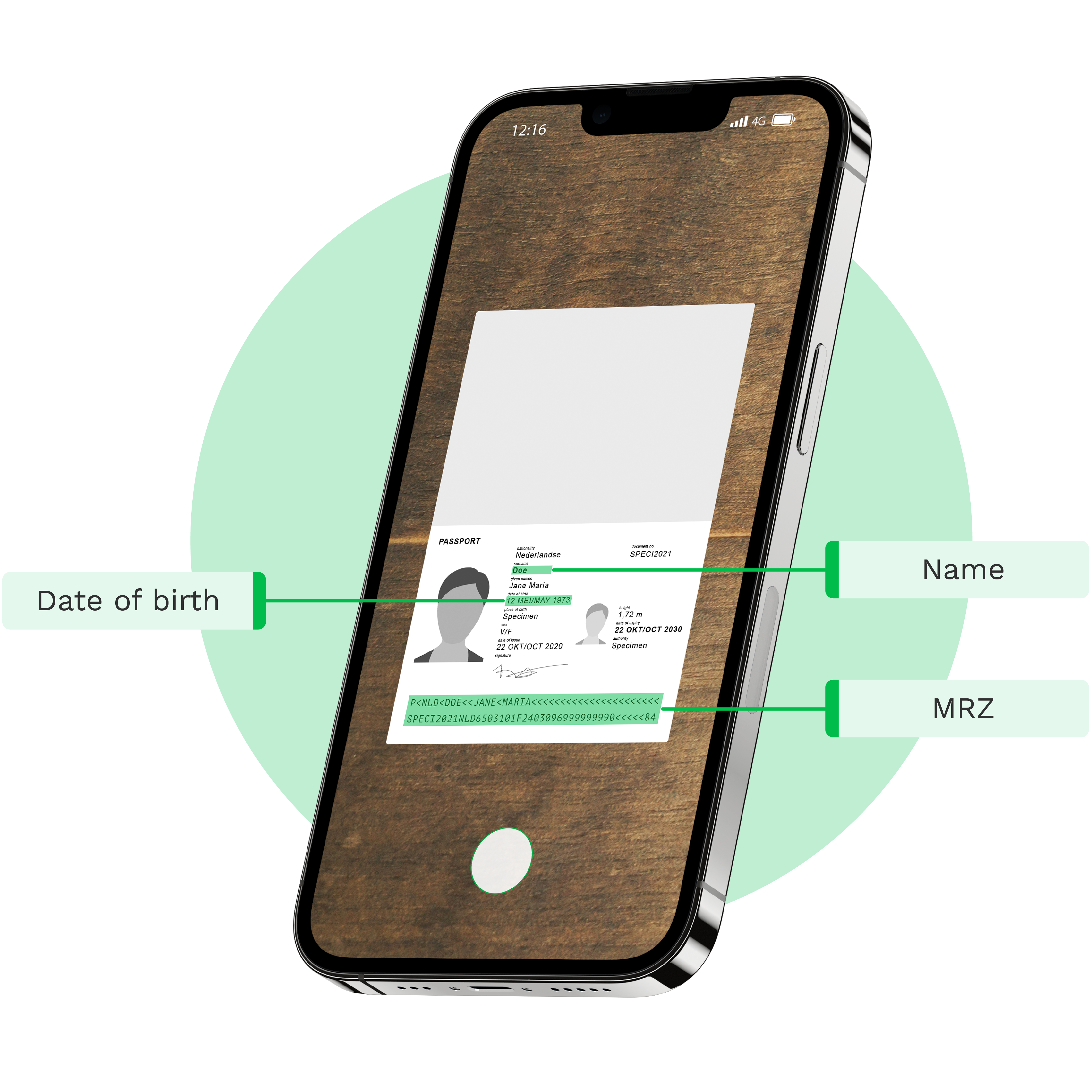
Streamline your identity verification with MRZ scanning software. Speed up hotel check-ins or ensure accurate customer verification, making operations smoother and data more precise. Integrate our solution effortlessly into your platform via SDK or API.
Onboard Clients 24/7 with our MRZ Scanning Solution
Forget about long onboarding processes. Improve your customer experience, and ensure during remote onboarding.
Expand Your Business Coverage
Scale your operations globally by safely onboarding customers from any location through automated remote identity verification.

Comply with Regulations
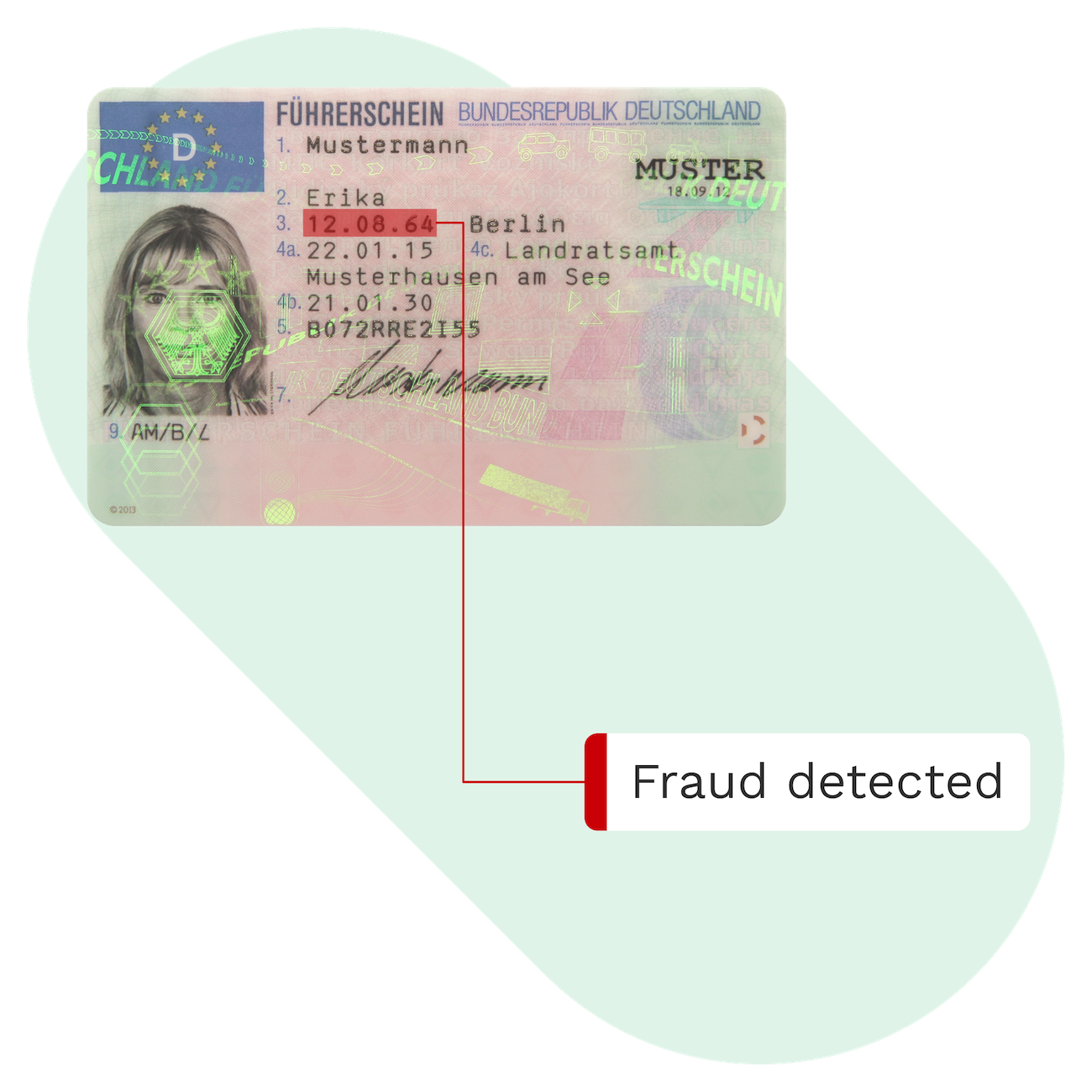
Automate your security protocols to meet global regulatory standards while protecting your business against identity fraud.
Enhance User Experience
Create a frictionless onboarding journey that guides users through the verification process with real-time feedback and intuitive design.

Automate Data Extraction from MRZ with OCR scanning
Stay at the forefront of document processing by effortlessly integrating our MRZ scanning solution via API or SDK. Discover how Doxis’ OCR software extracts data from ID documents with MRZ codes in three simple steps.
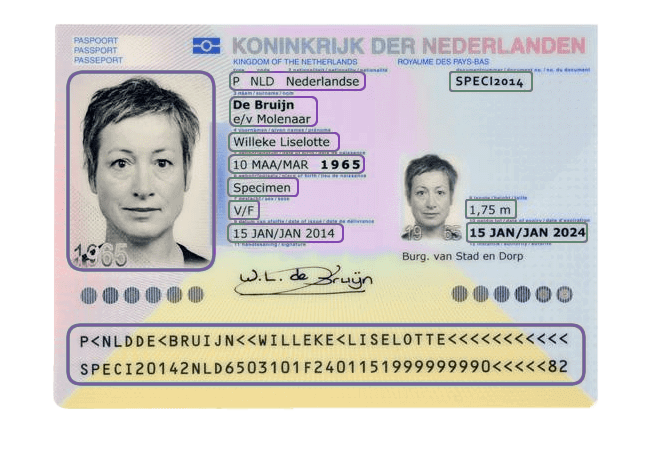
Scan MRZ documents with our scanner SDK or upload them through our MRZ OCR API
First, you will have to provide us with a PDF or a picture of the identity document, which must contain an MRZ. This can be done both by sending it from a web application as well as from a mobile application. After you have done so, this image will automatically be skewed, cropped and converted into a usable format by the MRZ OCR solution.
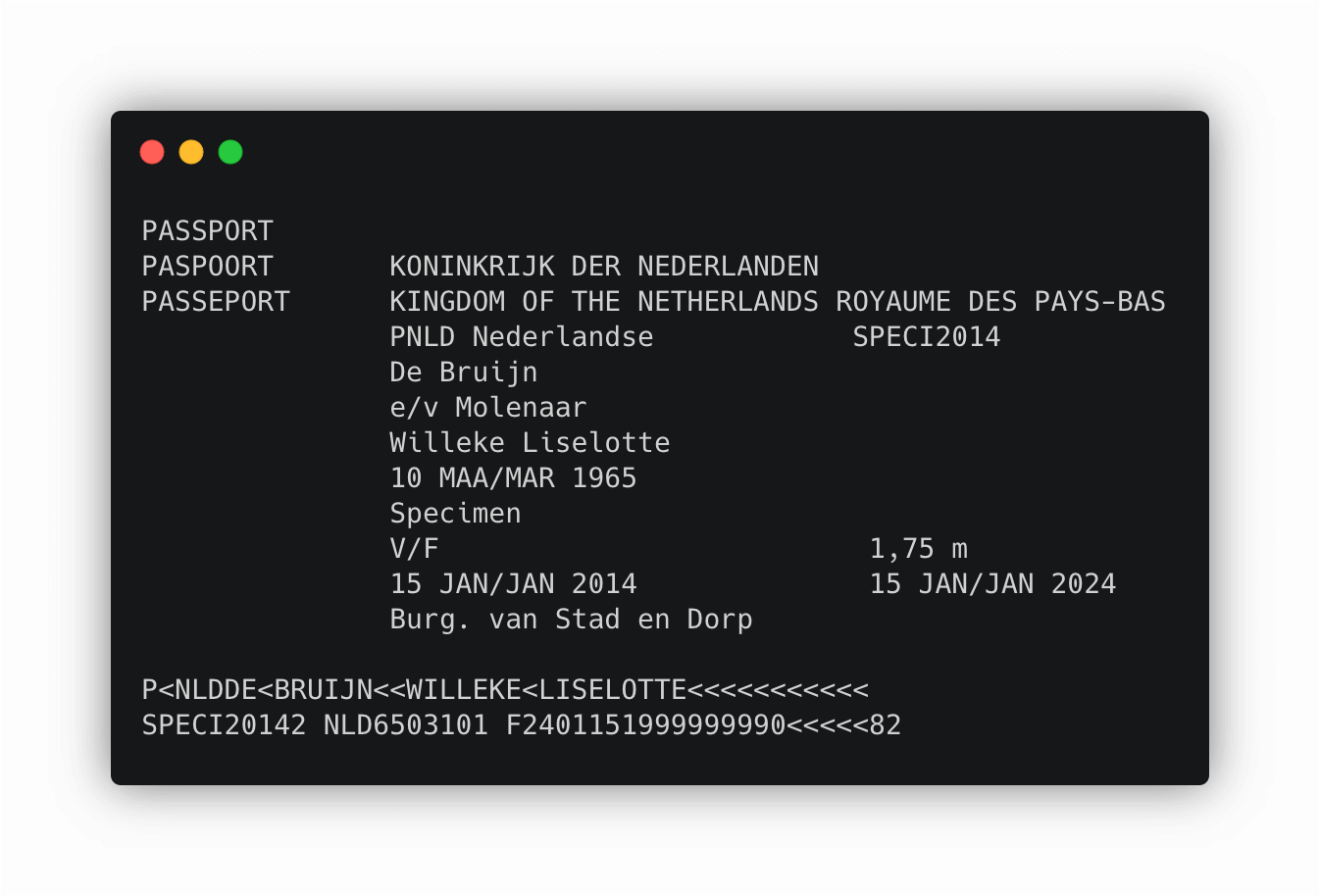
Transform image to TXT with MRZ OCR
As soon as the document has been received, it is converted to a TXT file by our MRZ OCR. At this step, all the data from the passport or ID document is extracted into a text format, but not yet structured.
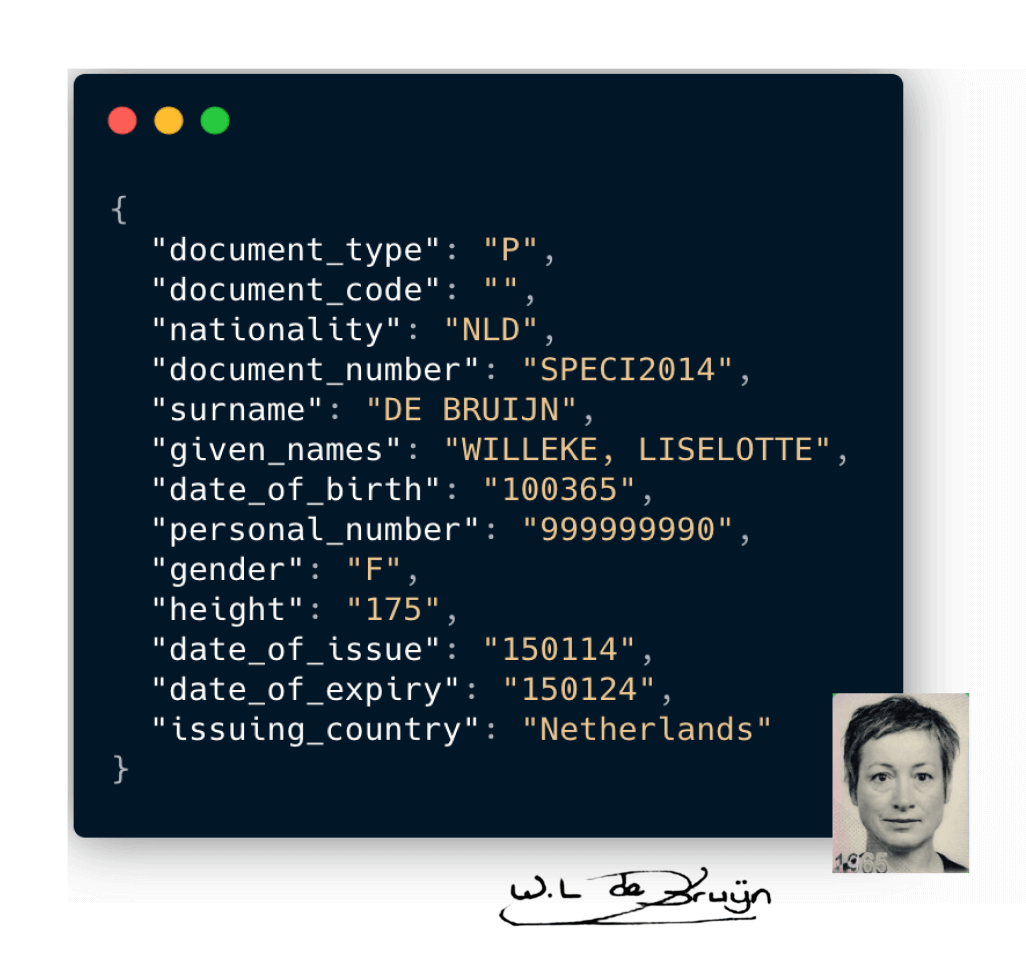
Receive JSON output from the API
As the final step, the Doxis Parser takes the TXT which was gained from the previous step and converts it into structured JSON. The JSON is then returned as output from the Passport OCR API.
From this point on, the passport or ID document can easily be processed in the database of your company. An extra option is to extract additional data like the signature or the passport picture.
Do you want to test our solution for free?
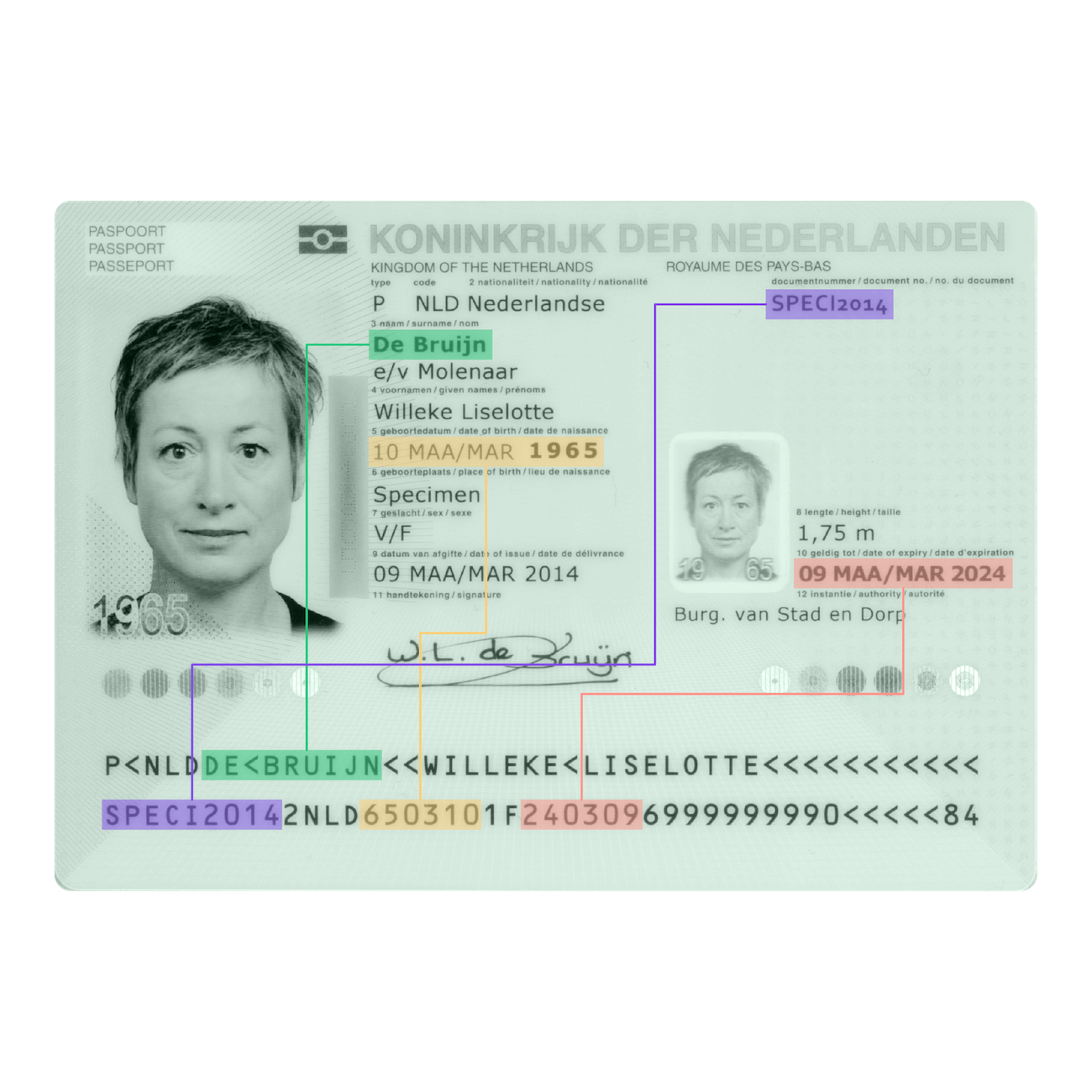
Which Data Fields Can Be Identified with Doxis’ OCR for ID documents?
Below are the examples of data fields that can be extracted with Doxis’ OCR. The number of fields is fully customizable. Additional fields can be added.
What Are the Benefits of MRZ Scanning?
Machine Readable Zone (MRZ) scanning automates the extraction of data from identity documents to ensure a fast and secure verification process. It replaces time-consuming manual entry with high-speed digital detection, significantly improving both accuracy and operational flow.
Prevent Fraud
Automatic recognition of errors, fraud and duplicates.
Reduce Cost
Spend less on processing of identity documents by using MRZ OCR.
Increase Speed
Scan and process MRZ strings within seconds. Simplify the onboarding process.
Reduce
Errors
Minimize manual data entry errors with our high-quality data extraction.
- ✓ Secure

- ✓ Compliant
- ✓ Protected
- ✓ Hosted in EU
- ✓ Trusted




Frequently Asked Questions
What is MRZ OCR software?
Which documents are supported by MRZ OCR?
How accurate is MRZ OCR data extraction?
Is MRZ OCR secure for sensitive identity data?
Can MRZ OCR integrate with verification and KYC systems?
Does MRZ OCR work on mobile devices?
Can MRZ OCR handle bulk document processing?
Is MRZ OCR compliant with ICAO standards?
Can MRZ OCR be used for border control or airline check‑in?
How is MRZ OCR priced?
We Support a Wide Range of Identity Documents
With our solutions, you can automatically extract and validate data from many different ID documents. Do you have a special request? Don’t hesitate to contact our team.
OUR BLOG
Discover Our Insightful Articles
Explore our step‑by‑step blogs on streamlining document processing with the AI.dp Platform.