


OCR for Bank Statements
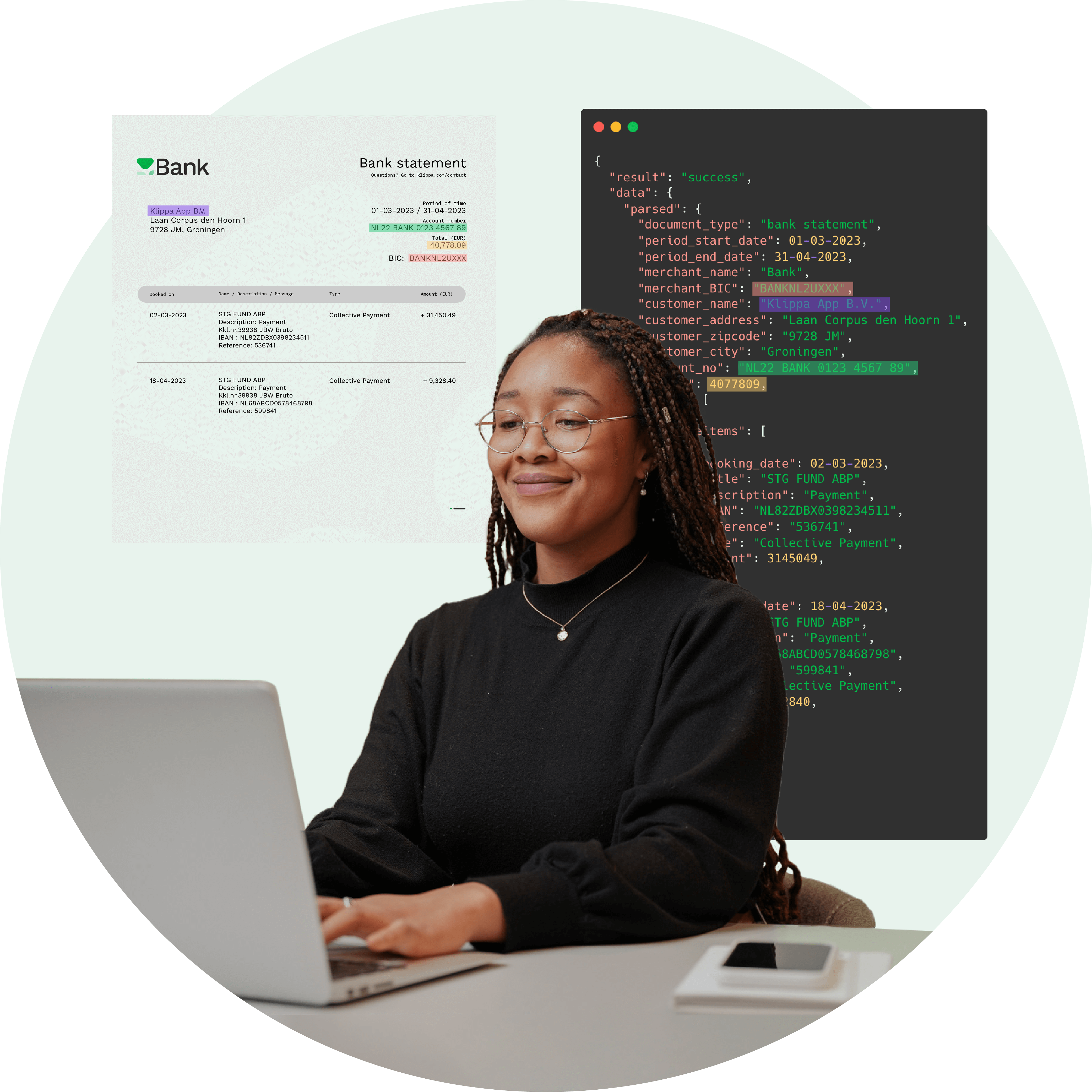
Doxis’ bank statement OCR extracts transactions, balances, and metadata in seconds, automating financial workflows, reconciliation, and fraud detection.
Trusted by 1000+ brands worldwide







BENEFITS
Faster, Smarter, and Secure Bank Statement Processing With Doxis
Doxis’ AI-powered OCR for bank statements automates data extraction and validation from scanned PDFs and images, giving your business accurate, structured financial data in seconds.
Save Time & Reduce Costs
Automate bank statement processing up to 80% faster than manual methods, cutting down hours of repetitive work and reducing operational costs.
Extract Structured Transaction Data
Doxis captures transaction lines, account balances, bank details, and tables – preserving context and ensuring clean data exports.
Eliminate Errors & Improve Accuracy
Reach up to 99% accuracy in data extraction, even from poor-quality scans or diverse layouts, using Doxis’ AI-powered OCR.
Integrate With Your Systems
Export data to Excel, JSON, or CSV and connect Doxis AI.dp directly to your ERP, accounting software, or internal tools via API connection.
Doxis AI.dp
Bank Statement OCR Features
Our machine learning technology can automate many bank statement related business processes via our IDP platform, APIs and SDKs.
Bank statement scanning & parsing
Format conversion to structured data
Image to text and JSON with OCR
Bank statement data extraction
Classification of transactions
Validating bank statement data
Financial workflow automation
Digitization of bank statements
How it works
Process Bank Statements in Just a Few Steps
Instantly capture and convert your bank statements into any structured format for easier integration. Always get the best results with automatic edge detection for more accurate processing.
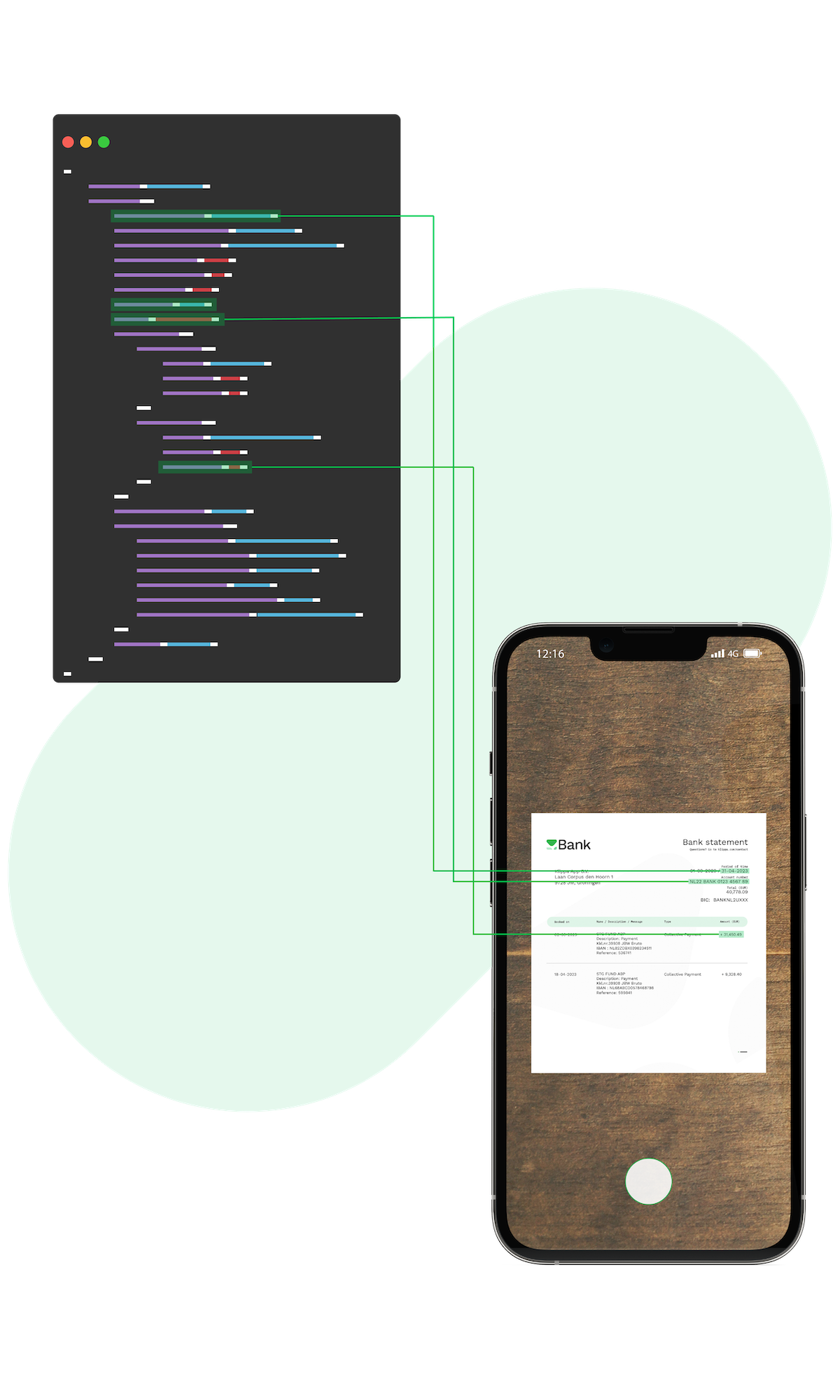
Send Your Bank Statements
Scan your bank statements with our mobile scanning solution or upload them to our platform in any of the following formats:
.jpg, .jpeg, .png, .pdf, .doc, .docx, .xlsx, .heic, .webp, and more.Extract Data
Choose which data fields you want to extract, such as the account holder’s name, address, account number, or bank branch details.
Receive Formatted Output
Thanks to machine learning, you can have your data in a structured format like JSON, XML, or CSV.
Forward Your Data
After transforming your bank statement data into a structured format, you can then forward it to your software of choice for further processing.









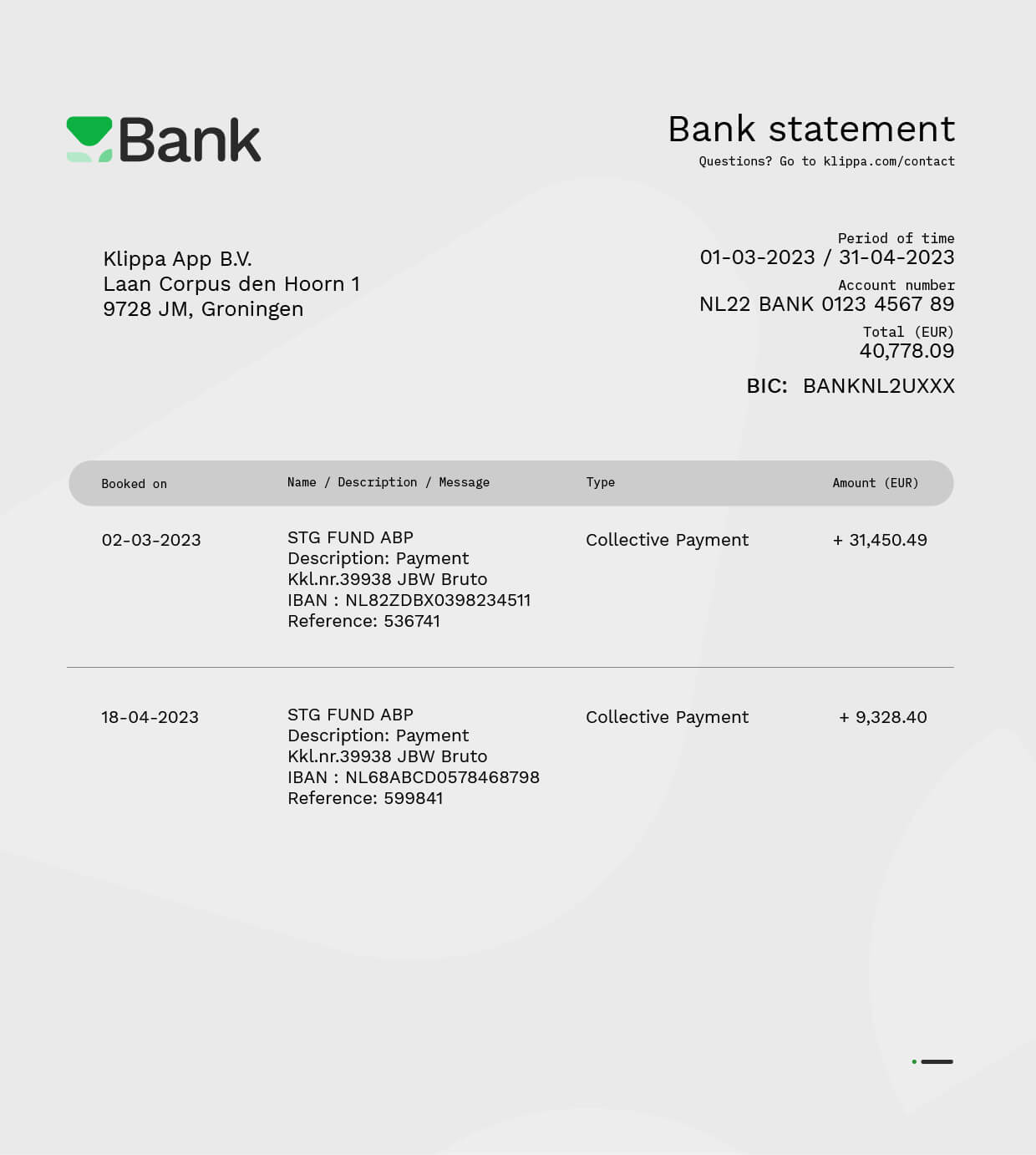
What Data Fields You Can Capture with Doxis’ Bank Statement OCR
Here are a few examples of data fields you can extract. All fields can be fully customizable to your needs. Need to extract additional fields? Let us know!
“Doxis’ OCR is fast, it’s accurate, and also easy to implement. The contact with Doxis was always easy, convenient, and nice.”
With Doxis AI.dp, Alasco automated bulk invoice conversion from PDF and images into structured JSON, processing multilingual documents with 99% accuracy.
How Real Estate Software Alasco Automates Invoice Workflows
- ✓ Secure

- ✓ Compliant
- ✓ Protected
- ✓ Hosted in EU
- ✓ Trusted



USE CASES
Bank Statement Workflows You Can Automate
With the AI.dp Platform, you can automate key workflows involving bank statements. Don’t see your use case listed? Our solution is fully customizable to fit your processing needs.
How to Implement
Automate Bank Statement Processing With Software
Doxis provides easy integration via our platform, API, or SDK, and broad compatibility with major platforms and tools. Our well-documented solutions guarantee a hassle-free and smooth experience.
Low-Code Platform
Easily create & automate your entire document workflow on one IDP platform.
API Integration
Connect our document parsing module to your own application(s) via API.
Mobile Scanning SDK
Employ our SDKs to empower your mobile applications with smart scanning.
Frequently Asked Questions
What is OCR for bank statements?
What data can be extracted from bank statements using OCR?
How does automated bank statement data extraction work?
Can OCR extract data from scanned or image-based bank statements?
Is OCR for bank statements accurate enough for financial reconciliation?
Who should use OCR for bank statements?
Can extracted bank statement data be exported to accounting or ERP systems?
What are the benefits of automating bank statement processing with OCR?
Is bank statement OCR suitable for high-volume processing?
Can bank statement OCR handle multiple banks and formats?
We Support a Wide Range of Financial Documents
With Doxis, you can automatically extract and validate data from 20+ financial document types in all Latin languages. Do you have a special request? Don’t hesitate to contact our team.
Discover Related Blogs
Explore our insightful blogs on how to automate bank statement processing workflows with Doxis AI.dp.