

OCR for Bill of Materials
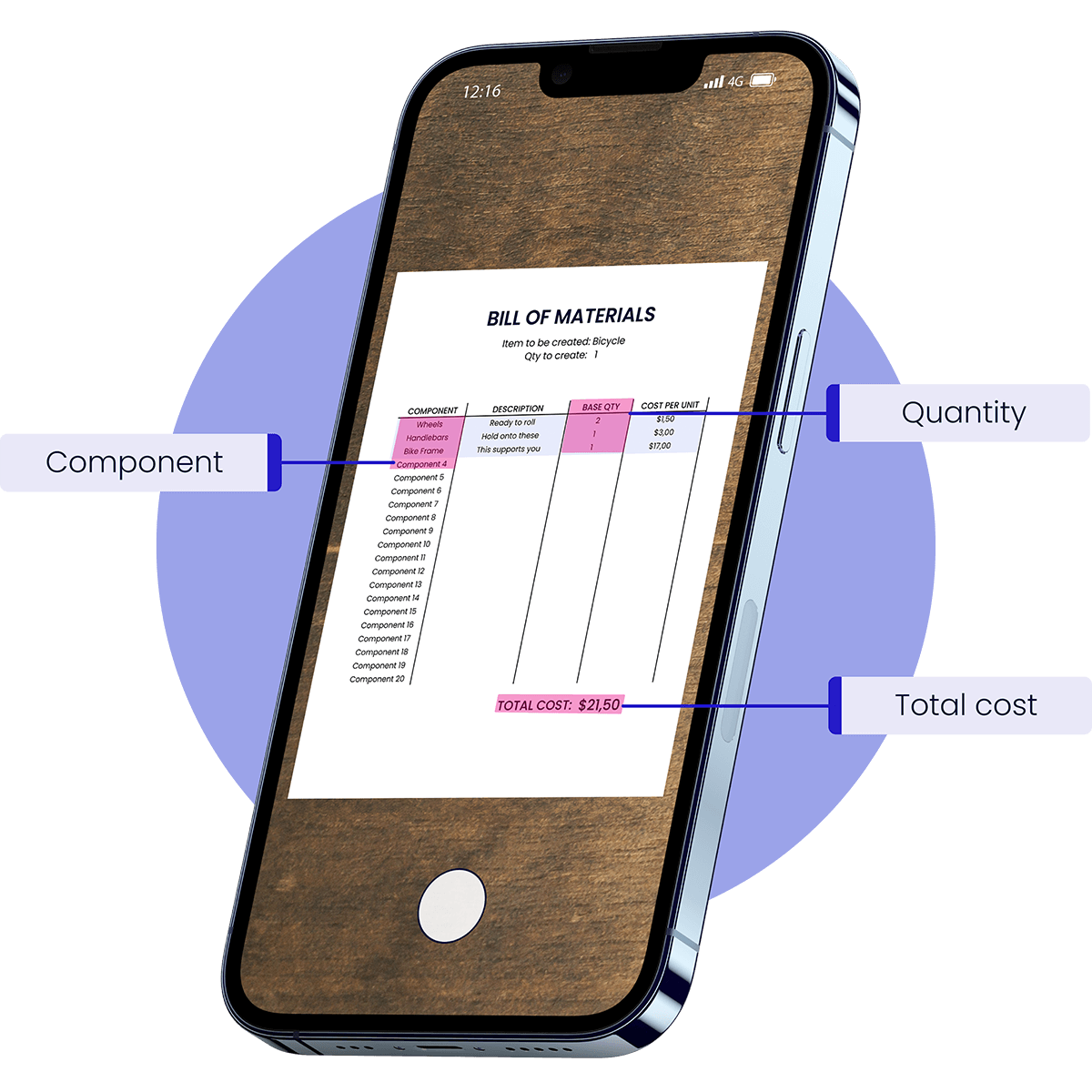
Doxis’ Bill of Materials OCR automatically extracts part numbers, quantities, and component data from BOM documents, integrating structured data into ERP systems.
Trusted by 1000+ brands worldwide






KEY FEATURES
Extract Bill of Materials Data With OCR in Seconds
Doxis’ AI-powered OCR for bill of materials automatically extracts structured component data from BOM documents, helping engineering, procurement, and manufacturing teams eliminate manual data entry.
Fast data extraction
Process BOMs in 0.5 to 4 seconds, extracting fields like part numbers, quantities, specifications, and identifiersTable Recognition
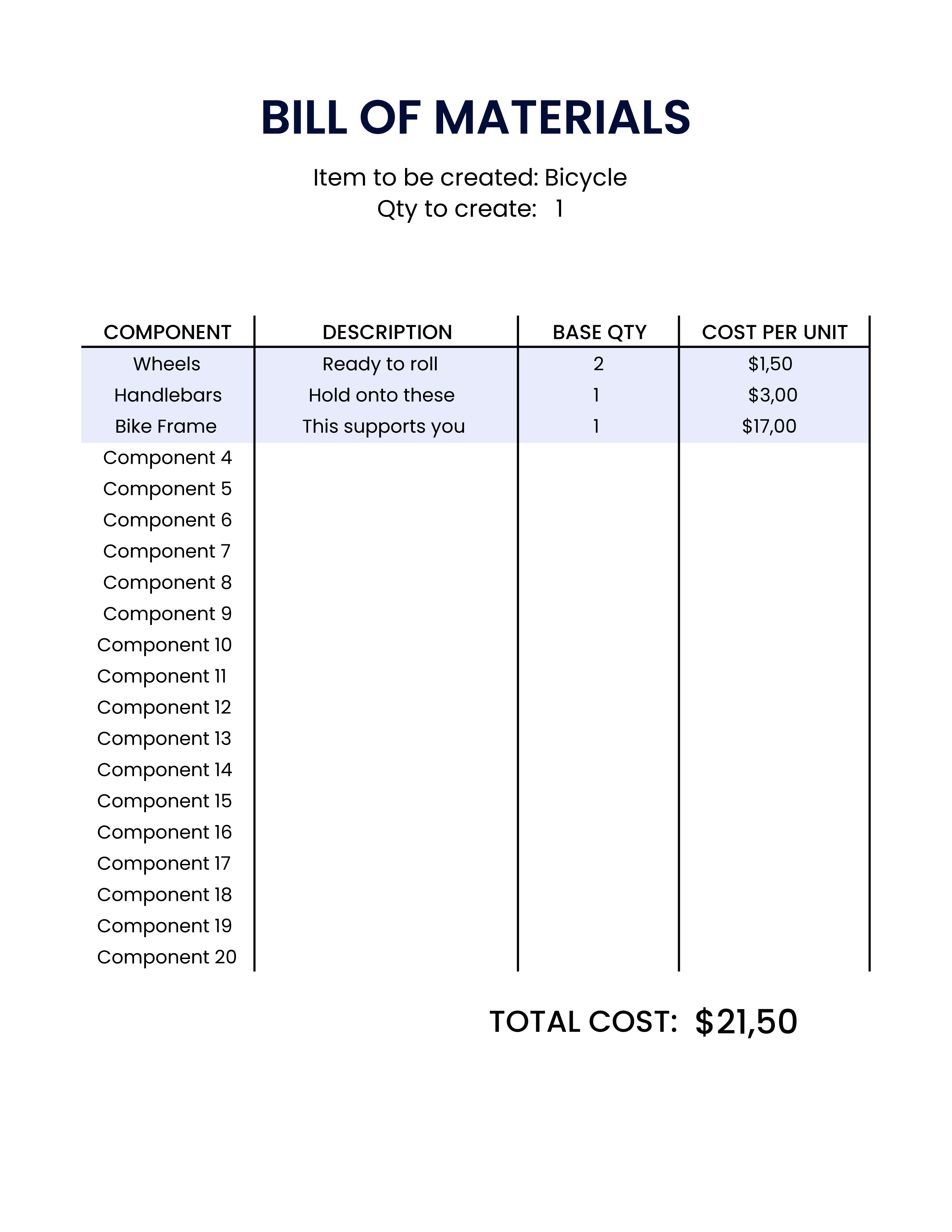
Detect and extract BOM tables from PDFs, sheets, and scans while preserving row and column structure.Reach 99% accuracy
Ensure high accuracy in extracting BOM data, reducing costly manufacturing errors caused by manual input.Format support
Process bills of materials from PDFs, Excel files, scanned documents, images, and structured exports.
CAD processing
Extract tables and component lists directly from technical drawings or engineering documents.Multi-Language support
Our OCR supports various invoices in all Latin-alphabet languages ensuring versatility and flexibility.Structured Data Export
Export extracted data into formats like JSON, CSV, XML, or Excel for easy integration with downstream systems.ERP integration
Send extracted BOM data directly to ERP, PLM, inventory, or procurement systems via API or SDK.
How logistics leader GLS accelerates invoice processing
“With Doxis, we no longer waste time on manual data entry. Invoice handling is faster, more accurate, and far less error-prone.”
What GLS achieves with Doxis’ Invoice OCR:
BENEFITS
Faster and Smarter Bill of Materials Processing With Doxis
Doxis’ AI-powered OCR for bill of materials automates the extraction of component data from BOM documents, turning complex tables into structured information ready for ERP, inventory, or procurement systems.
Eliminate Manual BOM Data Entry
Automatically extract part numbers, descriptions, quantities, and specifications from BOM tables, reducing the time spent on manual data entry.
Process Complex BOM Documents
Extract structured data from BOM PDFs, spreadsheets, scanned documents, and even engineering drawings containing component tables.
Improve Accuracy in Manufacturing Data
Achieve up to 99% accuracy when extracting BOM data, helping prevent costly production delays caused by incorrect quantities or part numbers.
Integrate With Your ERP Systems
Export structured BOM data to formats like JSON, XML, or CSV and integrate it directly with ERP, PLM, or inventory management systems.
How it works
Process Bills of Materials in 4 Simple Steps
Seamless document upload
Upload bills of materials via email, API, FTP, or through the Doxis platform. Our OCR takes care of the rest.
Supported formats include:
.pdf, .xlsx, .jpg, .jpeg, .png, .doc, .docx, .heic, .webp, and more.AI-powered data extraction
Doxis’ AI-powered OCR analyzes the document structure and extracts BOM fields such as part numbers, component descriptions, quantities, and material specifications.
Automated data validation
Built-in validation ensures the extracted BOM data is accurate and complete, helping identify missing values, formatting inconsistencies, or duplicate entries.
Easy data export & integration
Export structured BOM data to formats like JSON, CSV, or XML and automatically send it to ERP, PLM, inventory, or procurement systems. Check our documentation.
- ✓ Secure

- ✓ Compliant
- ✓ Protected
- ✓ Hosted in EU
- ✓ Trusted

Data fields
Data Fields You Can Extract from BOM
Do you have a custom data field request? Let’s talk!
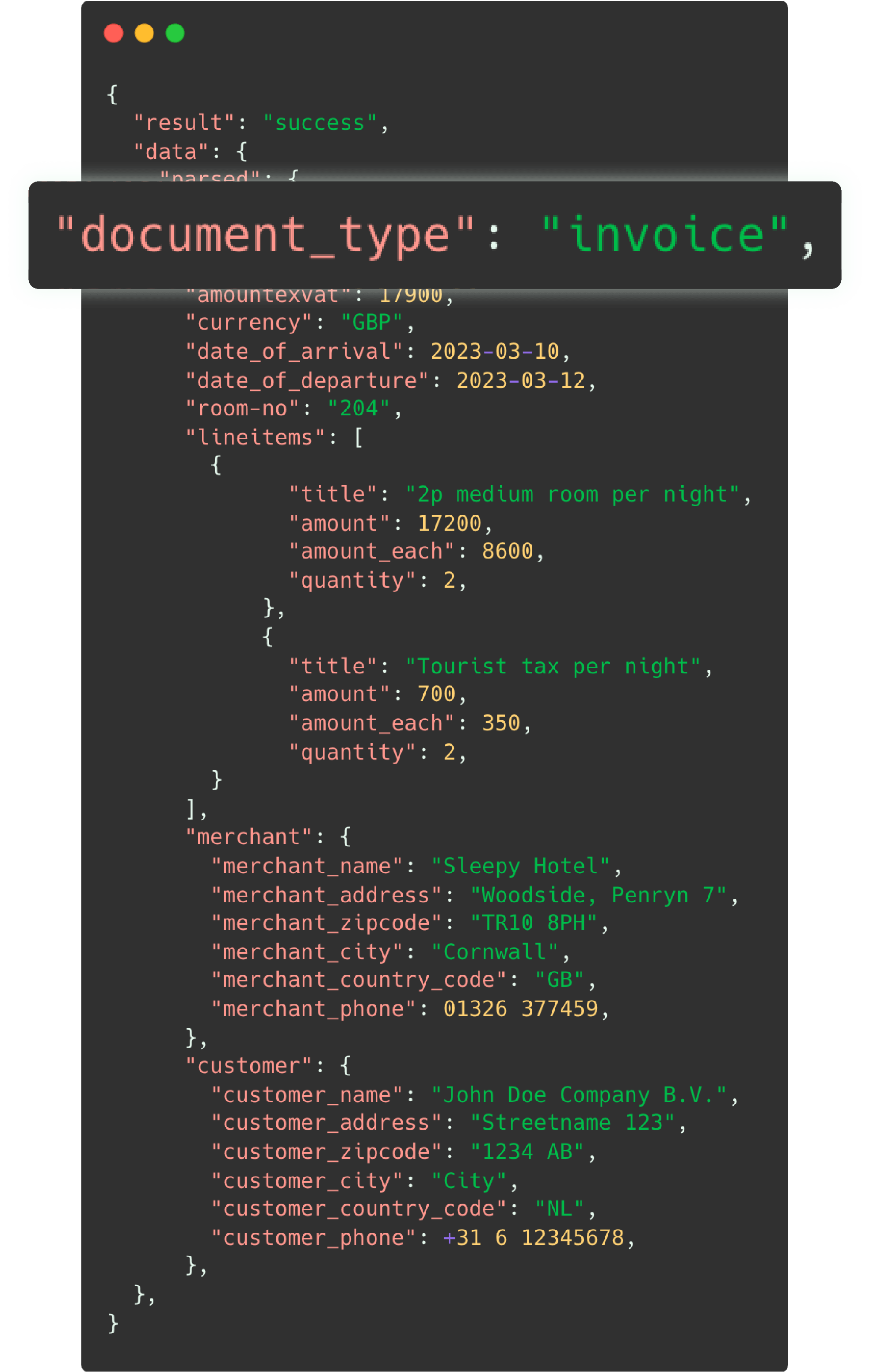
The standard Optical Character Recognition for bill of materials supports formats such as JPG, PNG, and PDF as input. Our system extracts over 40+ data fields from manufacturing documents and delivers structured output in JSON format. See the example fields below:
- Part number / component ID
- Manufacturer
- Component name
- Component description
- Reference designator
- Revision number
- Assembly level
- Quantity (Qty)
- Unit of measure (UoM)
- Material
- Weight
- Dimensions
- Supplier name
- Supplier code
- Procurement notes
- BOM ID
- Unit cost
- Total component cost
- Currency
- Cost center
- …and many more fields!
Seamlessly Process Any Manufacturing Document
With Doxis AI.dp, you can automate the processing of all key manufacturing documents. Do you have more documents in your workflow? Contact us if you have a special request.
Frequently Asked Questions
What is OCR for bill of materials (BOM)?
What data can be extracted from a bill of materials?
How does automated bill of materials processing work?
Can OCR extract data from scanned or image-based BOM documents?
Can OCR process BOM tables from engineering drawings?
Who should use bill of materials OCR software?
Can extracted BOM data be integrated with ERP or PLM systems?
What are the benefits of automating bill of materials processing?
Is OCR for bill of materials suitable for high-volume processing?
How accurate is OCR for extracting bill of materials data?
We Support a Wide Range of Logistics Documents
With Doxis, you can automatically extract and validate data from 15+ logistics document types in all Latin languages.
Do you have a special request? Don’t hesitate to contact our team.
Discover Related Blogs
Explore our insightful blogs on how to automate manufacturing document processing with Doxis AI.dp.