


Klippa is now Doxis - Find out more
Doxis AI.dp
Automate Any Document Processing Workflow
Doxis AI.dp (formerly Klippa DocHorizon) is an AI-powered Intelligent Document Processing platform that automates OCR, classification, conversion, verification, and fraud detection workflows.

Trusted by 1000+ brands worldwide







Accurate data
High‑accuracy OCR with fully automated workflows.
Lower costs
Automated workflows cut manual work and expenses.
Scalability
Easy bulk uploads & multiple document workflows at once.
Fast integration
Seamless integration with your software or applications of choice.
THE SOLUTION
One Platform For All Your Document Workflows
Experience the power of Doxis AI.dp to automate all your document processing tasks. Our AI-powered IDP platform offers versatile document processing modules via API & SDK.
Seamless Workflow Automation
Select an out-of-the-box document processing workflow or create your custom flow by combining our modules in a few simple steps.
Select the source of input data
You can upload documents or files in batches via web, email, phone, API, FTP, or a third-party integration.
Choose which document you want to process
You can process documents such as invoices, receipts, ID cards, passports, and many others. We can process 50+ documents out of the box and also allow you to train models to process custom document types.
Contact us if you want more information on the document types we can process.
Contact us if you want more information on the document types we can process.
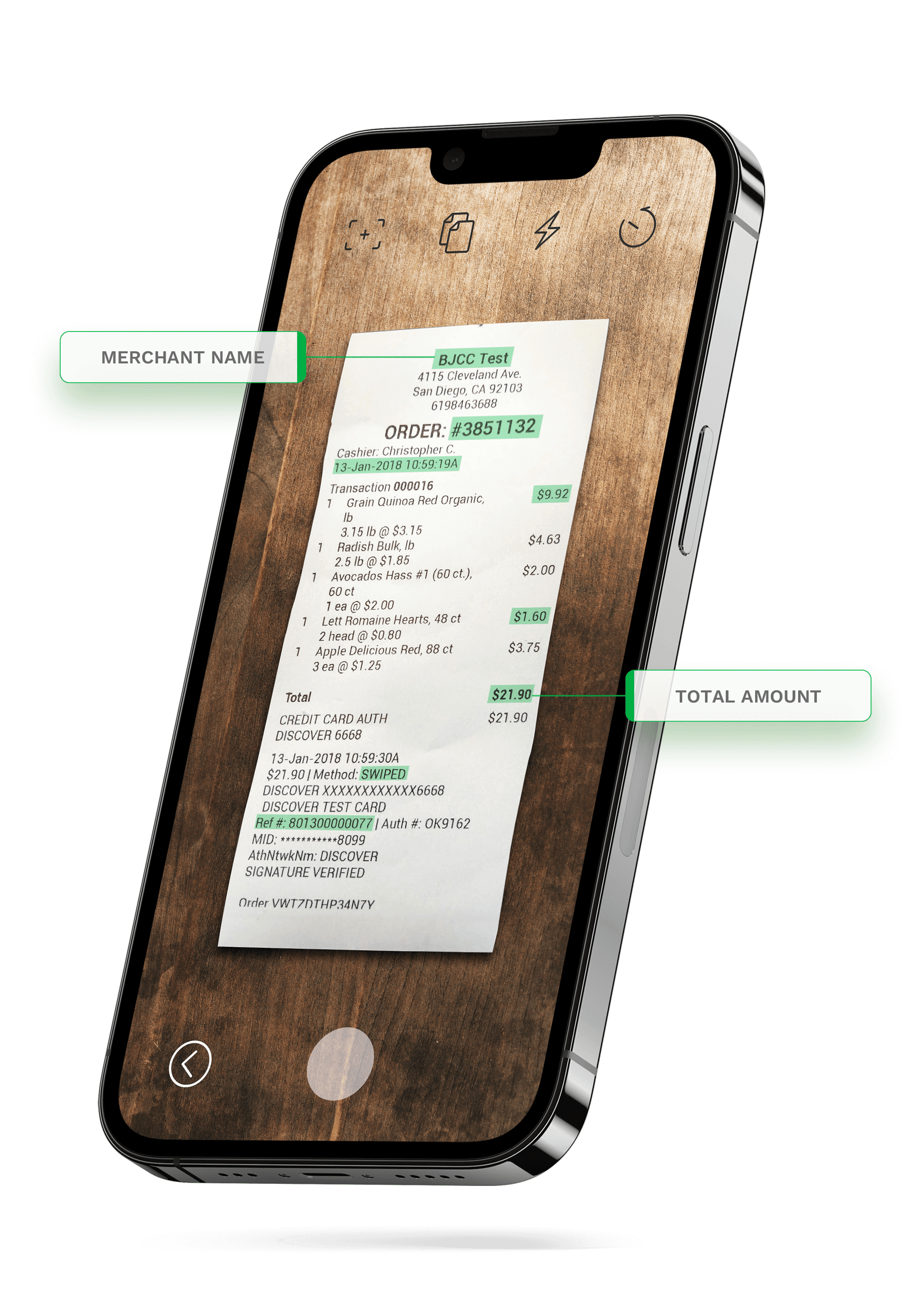
Define the data fields you want to extract
Select the data fields that you’d like to extract from the documents. For example, you can choose to extract document numbers, dates, names, addresses, total amounts, IBAN, and many other data fields.
Set up your workflow approvals
Depending on your use case, you can fully automate your workflow or leverage either business rule-based approval or human-in-the-loop automation.
Select how and where you want the output
The final step is to choose the destination and the data format for the final output. The destination can be your database, ERP system, accounting software, or any other platform, depending on your workflow.
The data output format can be chosen from the following formats: JSON, XML, CSV, XLSX, UBL, PDF, and TXT.
The data output format can be chosen from the following formats: JSON, XML, CSV, XLSX, UBL, PDF, and TXT.
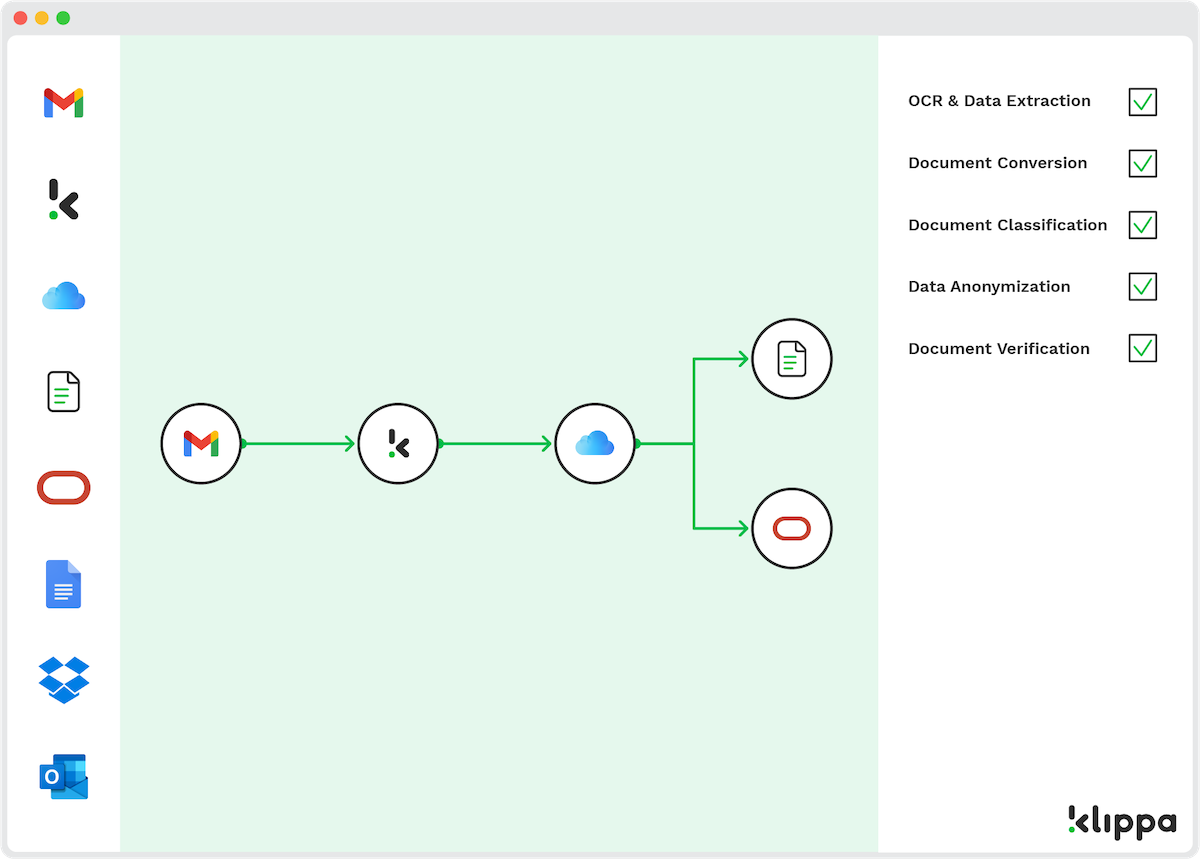
Fast text recognition and data extraction
Catch fraudulent documents
Automatically parse documents for useful data
Cross check documents and data points
Verify the authenticity of documents
Classify, label, sort and rename documents
Automate data entry tasks and processes
Verify identity of your customers
Anonymize or mask sensitive data
Automate data discovery and storing
Convert documents from / to various formats
Customize it to fit your needs
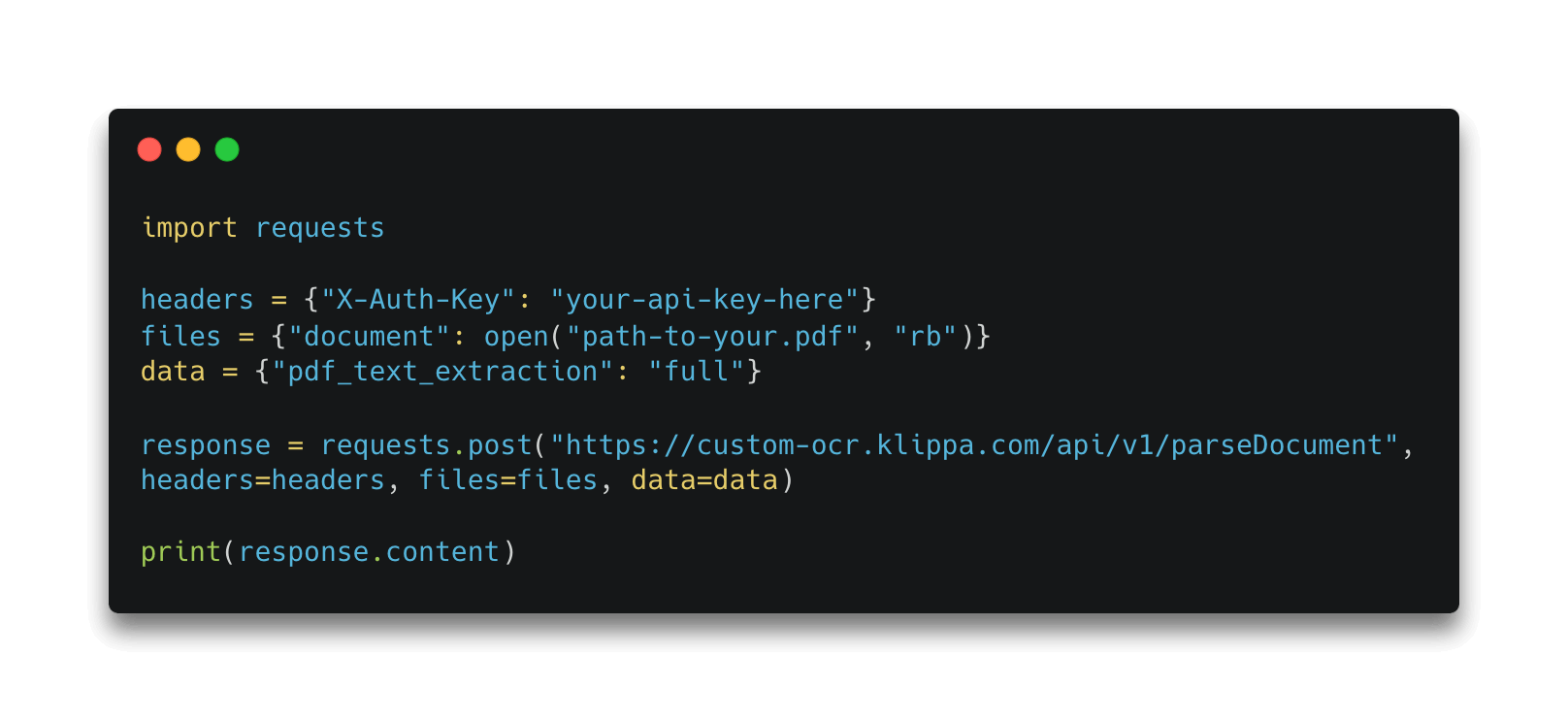
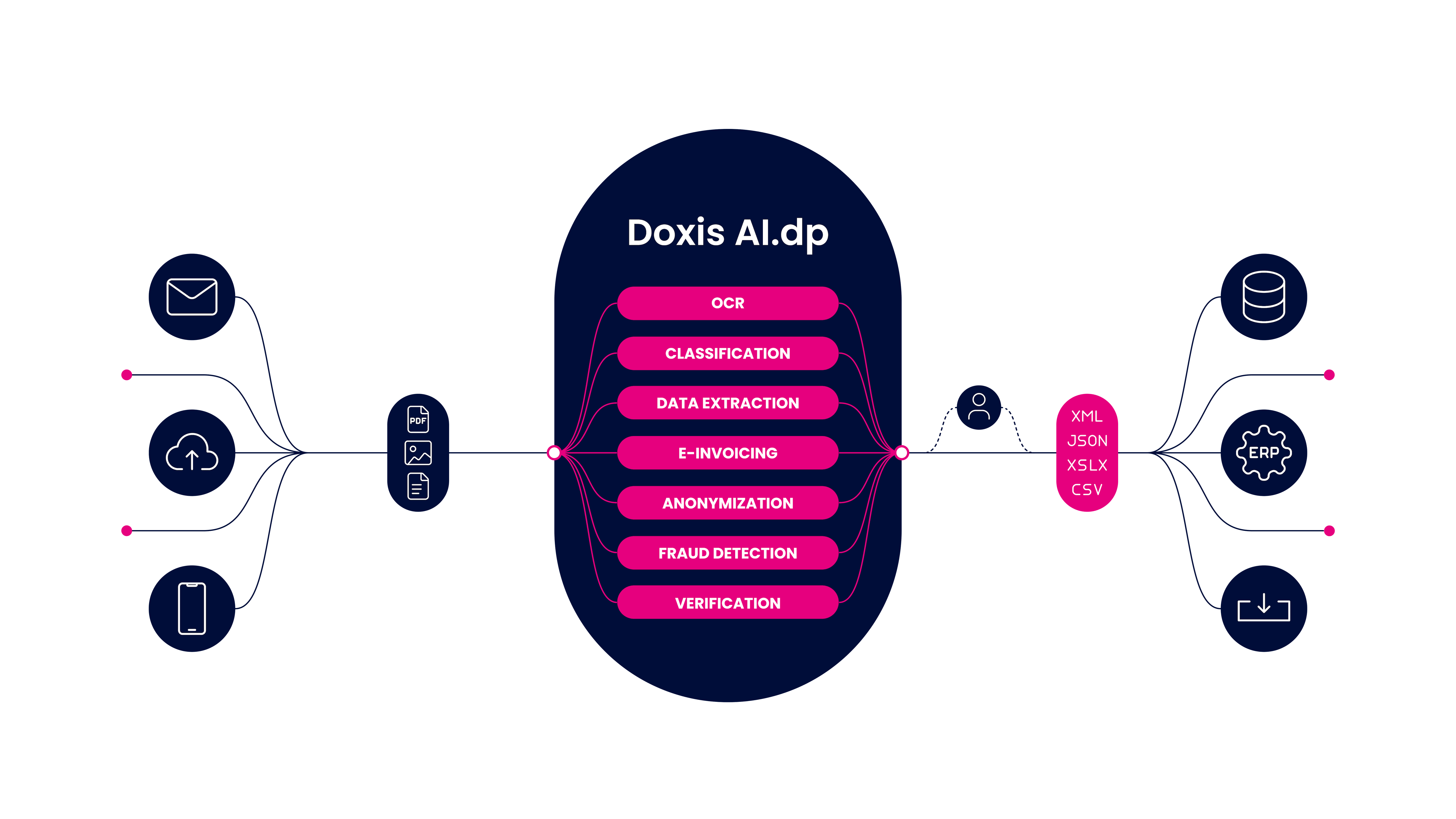
AI.dp OverviewOCR (Optical Character Recognition)Document ConversionDocument ClassificationData AnonymizationDocument VerificationDocument Fraud DetectionHuman-In-The-LoopWorkflow Builder
The AI.dp Platform Overview
Craft your own document processing workflow by combining various modules together. You can configure how the document comes to the document processing engine, how it processes these documents, and what kind of output format is delivered to you.
Automate Data Extraction with OCR
Our OCR module enables you to extract data from documents and images, which helps you eliminate tedious manual data entry tasks. With the help of AI, data extraction can be completed within a few seconds.
Get Business-Ready Data with Document Conversion
Do you have data stuck in unstructured data formats? Our Intelligent Document Processing solution allows you to automatically convert documents into various formats such as JSON, XML, PDF, XLSX, and CSV.
Archive Files Easily with Document Classification
Don’t let documents overwhelm you. Effortlessly classify documents with smart AI algorithms and automate document archiving with a set of your own rules & classification parameters.
Secure Information with Data Anonymization
Ensure compliance with GDPR and other data privacy regulations by anonymizing sensitive information from documents. With Doxis’ smart AI-powered OCR, you are able to extract only the data you are allowed to store or need.
Verify Document’s Authenticity And Validity of Extracted Data
Verify documents securely and quickly with Doxis’ AI-powered verification solution. Ensure regulatory compliance by comparing extracted data against trusted sources and databases. Our system validates the authenticity of documents and confirms that all extracted fields match official records.
Detect and Prevent Document Fraud
Detect fraudulent documents with AI-powered checks. Doxis uses EXIF analysis, duplicate detection, copy‑move checks, and pixel‑level analysis to uncover manipulated content, forged details, and suspicious patterns before they cause harm.
Achieve 100% Accuracy in Document Processing with Human-In-The-Loop Automation
Combine the power of AI, OCR, and human expertise to deliver unparalleled data extraction precision and efficiency. With your documents processed by our OCR engine, and then validated and corrected by skilled human operators, you can ensure almost 100% accuracy.
Build Your Own Document Processing Workflows with the AI.dp Platform
With AI.dp, you have the flexibility to define the entire lifecycle of your documents, from intake to data extraction and validation. Leverage our user-friendly interface and drag-and-drop functionality to design and deploy automated workflows.
- ✓ Secure

- ✓ Compliant
- ✓ Protected
- ✓ Hosted in EU
- ✓ Trusted




Curious How We Can Help You? Get in Touch With Us Today.

INDUSTRIES WE SUPPORT
Document Automation Tailored to Your Needs
Use Doxis AI.dp to eliminate inefficiencies with document workflow automation. Discover a selection of use cases we support in various industries.

How Doxis Helps Companies in the Financial Industry

How Doxis Helps Companies in the Transportation & Logistics Industry

How Doxis Helps Companies in the Manufacturing Industry

How Doxis Helps Companies with KYC

How Doxis Helps Companies in the Retail Industry










BRANDS WE HELP
Join 1000+ Other Brands in Automating Your Workflows
Discover how leading brands use Doxis AI.dp to automate, optimize, and scale their document workflows.
DOCUMENT TYPES
Process Various Documents With AI.dp
With Doxis AI.dp, you can process more than 50+ document types. We can process your required document type on request. Contact us for more inquiries.
DATA FIELDS
A Wide Range of Data Fields Covered
With Doxis AI.dp, you can extract and verify over 150+ data fields. See some of the examples below:
CUSTOMER REVIEWS
What They Say About Us
Doxis AI.dp earns a 4.8/5 rating from verified users on Capterra.
FAQ
Frequently Asked Questions
What is Doxis AI.dp?
Which document types can be processed automatically?
Does Doxis AI.dp support multiple languages?
How does AI.dp handle data privacy and security?
Can Doxis process large volumes of documents at once?
Can processed data integrate with ERP or CRM systems?
Does Doxis provide OCR text recognition?
Does Doxis have developer-friendly documentation?
Can Doxis convert invoices to e‑invoicing formats?
How is Doxis AI.dp priced?
OUR BLOG
Discover Our Insightful Articles
Explore our step‑by‑step blogs on streamlining document processing with the AI.dp Platform.