


Invoice processing is one of the most critical financial pillars of any modern organization. While historically viewed as a manual back-office task, recent data highlights its shift into a strategic priority. According to the Ardent Partners “State of ePayables 2025” report, 54% of finance leaders now rank Accounts Payable (AP) automation as their top digital transformation goal.
Furthermore, research from the Institute of Finance & Management (IOFM) reveals a staggering performance gap: “Best-in-Class” teams using automation can process over 30 invoices per hour, while manual environments struggle with fewer than 5 per hour. This inefficiency isn’t just a time-sink—it directly impacts a company’s bottom line through late fees, missed early-payment discounts, and increased fraud risk.
To help you modernize your workflow, we will break down the essential steps of invoice processing, the hidden costs of traditional methods, and how AI-powered tools are redefining financial accuracy in 2026.
What is Invoice Processing?
Invoice processing in accounts payable is the administrative task of receiving, reviewing, verifying, and approving invoices for payment. It ensures vendors or suppliers are paid promptly and accurately while maintaining accurate financial records.
The process typically includes verifying that goods or services have been received, checking for any discrepancies or errors, and ensuring that the invoice has been approved for payment by the appropriate parties. This allows companies to keep track of their expenses and make sure that they are not paying for services or products they did not receive.
Invoice processing methods can be used to process various types of invoices, including purchase invoices, sales invoices, expense invoices, and many more. Maintaining accurate financial records for a company also helps to improve vendor relationships, avoid late payment fees and comply with financial regulations. To do so, companies should have an invoice processing procedure in place.
The 5-Step Invoice Processing Workflow
A modern, compliant invoice-to-pay process involves more than just passing paper. Here is the refined 5-step workflow used by high-performance finance teams in 2026:
1. Invoice Receipt
Invoices enter the system through various channels: email (PDF), paper, or electronic data interchange (EDI).
2. Data Extraction and Validation
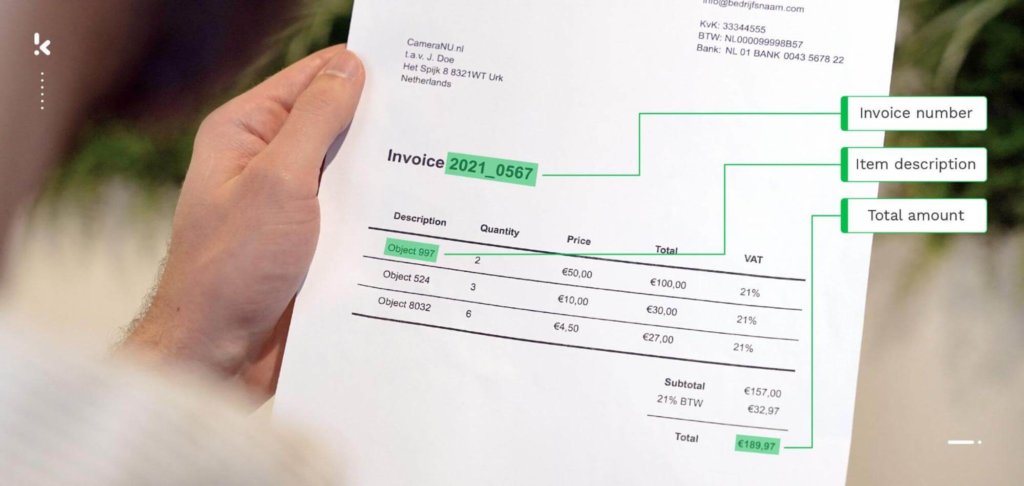
This is where the manual “heavy lifting” used to happen. Today, OCR (Optical Character Recognition) technology extracts key data points such as vendor name, tax ID, line-item totals, and currency automatically.
3. Verification & Matching
To ensure you only pay for what you actually ordered and received, the system performs “Matching.” This is the most critical step for fraud prevention and accuracy:
- 2-Way Matching: The system matches the Invoice against the Purchase Order (PO). This confirms that the price and quantity on the invoice align with what was originally authorized.
- 3-Way Matching: This adds a third layer, the Receiving Report (or Goods Receipt). The system verifies that the Invoice matches the PO and that the goods were actually marked as Received in the warehouse.
4. Approval Routing
Once verified, the invoice is routed to the appropriate department head or manager. In 2026, automated workflows use conditional logic: for example, any invoice under $500 is auto-approved, while anything over $10,000 is sent directly to the CFO.
5. Payment & Archiving
Following approval, the payment is scheduled via ACH, wire, or virtual card. The final step is “Syncing”—the invoice and its audit trail (who approved it and when) are automatically archived in your ERP (like NetSuite or SAP) for tax compliance.
These five steps can help you adhere to an adequate invoice processing procedure that can help your company stay organized and compliant. By keeping track of invoices, your company can keep track of its spending and make sure that it is not exceeding the budget.
However, conventional methods of processing invoices come with challenges that companies have to face. In the next section, we will highlight the most crucial difficulties.
Difficulties of Traditional Invoice Processing
Traditional invoice processing can be a time-consuming and error-prone task, as it often involves manual data entry and document handling. Some difficulties of traditional invoice processing include:
Data entry errors
Manually entering invoice data into accounting software leads to errors, such as typos or transposed numbers, which can result in incorrect payments or disputes with vendors.
Delays in approval and payment
Conventional invoice processing takes longer than necessary to approve and pay off liabilities like Accounts Payable (AP), leading to delays in the AP process and potentially damaging vendor relationships. The average cycle time for processing a single invoice manually is 25 days.
Lack of insight
With manual invoice processing, it is difficult to track the status of invoices and to know who is responsible for approving them, especially when dealing with large invoice quantities.
Difficulty in maintaining compliance
Traditional invoice processing makes it difficult to comply with financial reporting requirements, as invoices and supporting documentation may be lost or misfiled.
Inefficiency
Processing invoices by hand is a very labor-intensive task. Moreover, it can be difficult to process a large volume of invoices in a timely manner.
Limited scalability
When a company scales up and the number of invoices increases, it is difficult to scale up traditional invoice processing methods to handle the increased volume. You would have to hire and train a lot of new employees.
Difficulty in detecting fraud
Traditional invoice processing methods rely on manual review and approval, which makes it more difficult to invoice fraud. Fraudulent invoices can be difficult to spot, as they may be disguised as legitimate invoices and may be mixed in with large volumes of legitimate invoices.
The difficulties that companies deal with in regard to traditional invoice processing can vary from minor effects to seriously impacting a company. The compounding effect of a mixture of these challenges can result in a catastrophe for the company and even its stakeholders.
But, as we mentioned before, there is a solution. Many companies still process their invoices the conventional way. If you want to stand out from the crowd and improve your invoice processing, the answer is automation.
Automation as a Solution
Invoice processing automation allows companies to abolish manual tasks involved within the invoice management workflow, such as data capture, validation, approval, invoice payment, and record keeping.
With the right automated invoice processing software, manual steps are streamlined, leading to quicker and more accurate results. Here’s how the process changes:
- Receiving the invoice: Invoices are automatically captured and processed, regardless of their format. This removes the need for manual data entry, as key details are extracted and stored electronically.
- Verifying the invoice: Instead of manually checking for errors, inconsistencies, or potential vendor fraud, the system matches the invoice details with purchase orders and delivery confirmations. Any discrepancies are flagged for further review, reducing the need for human intervention.
- Approval: Digital workflows send invoices to the appropriate person for review based on predefined rules. This eliminates delays caused by manual routing, allowing for quicker invoice approvals.
- Payment: Once approved, the system automatically schedules the payment. This ensures that payments are processed on time, reducing the risk of late fees or missed payments.
- Record keeping: Invoices and supporting documents are stored digitally, making them easy to access when needed for audits or compliance purposes. This also reduces the reliance on physical storage.
Automation simplifies the entire workflow, speeding up each step and minimizing the chances of errors. As one of the best practices in accounts payable, automation can make sure that all the difficulties of traditional invoice processing become history.
How Doxis Can Improve Your Invoice Processing
Invoice processing can be tedious and inefficient, but it doesn’t have to be. Forget about the challenges of manual workflow – entrust your invoices to Doxis SpendControl.
Process, approve, and manage all vendor invoices with our OCR-powered pre-accounting solution. Reduce the heavy workload into just a few clicks!
With SpendControl, you can:
- Manage your vendor invoices, employee expenses, and corporate credit cards in one platform
- Submit, process, and approve invoices via web or mobile app
- Achieve 99% invoice data extraction accuracy with Doxis’ OCR
- Regain control over your accounts payable with intuitive dashboards
- Customize your approval management with multi-level authorization flows
- Never fail to comply with tax and data privacy regulations with our ISO27001-certified and GDPR-compliant solution
- Rely on automatic multi-currency support for international payments
- Prevent invoice fraud with built-in duplicate and fraud detection
- Integrate SpendControl with your accounting and ERP software, like Quickbooks, NetSuite, or SAP
Take the next step in invoice processing – contact our experts for additional information or book a free demo below!
FAQ
The three key steps in invoice processing include receiving the invoice, verifying its accuracy, and approving it for payment. These steps ensure that the company is billed correctly for goods or services received and that the invoice is authorized before payment is made.
Invoice processing involves several tasks, such as receiving invoices from suppliers, checking them for accuracy, approving them for payment, issuing payments to the vendors, and maintaining records for compliance. Each task is crucial to ensuring proper financial management and vendor relationships.
Supplier invoice approval involves reviewing the invoice for accuracy, confirming that the goods or services were received, and ensuring that the pricing is correct. Once verified, the invoice is routed to the appropriate parties for authorization before payment is issued. In an automated system, this process is streamlined through predefined workflows that speed up approvals and reduce manual delays.
Invoicing software supports document management by automating data capture, organizing invoices in a centralized system, enabling easy retrieval, and ensuring compliance through secure storage and audit trails. It streamlines workflows, reduces manual errors, and integrates with other financial tools for efficient processing.