


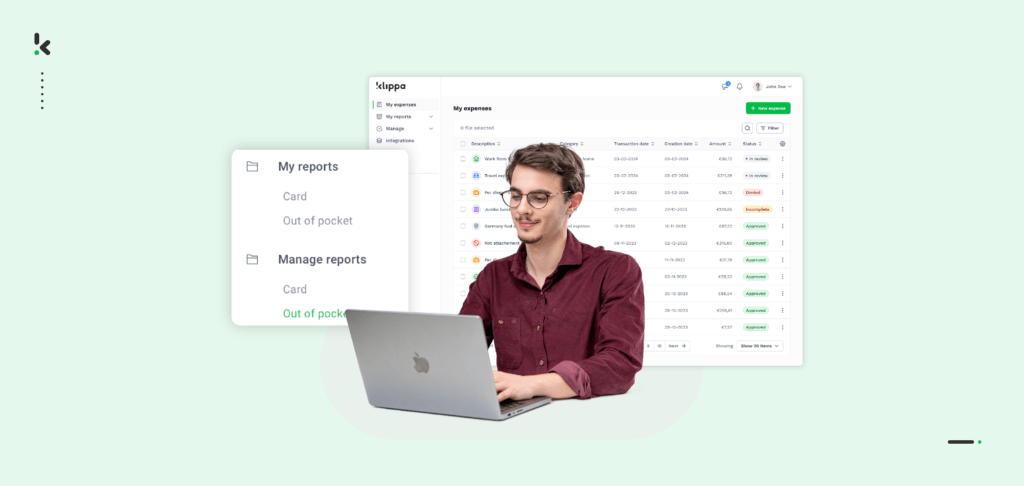
Automating expense reporting can cut processing time by more than half, reduce human errors, and prevent fraud. According to the Global Business Travel Association, it takes an average of 20 minutes to process a single expense report and one in five is rejected due to errors. Correcting and approving a rejected report adds another 18 minutes, which quickly adds up in labor costs and delays.
By shifting to an automated workflow, businesses can capture, verify, and approve expenses in minutes instead of hours. Automation removes the need for manual checks and data entry, prevents missing receipts, and keeps compliance issues in check. This guide will walk you through how expense reporting works, the problems with traditional methods, and how to select and implement the right automation tool.
Key Takeaways
- Manual expense reporting takes an average of 20 minutes per report and one in five reports is rejected due to errors
- Automation reduces processing time to seconds and minimizes human errors by up to 95 percent
- Advanced tools detect duplicate and fraudulent claims before approval
- Automated systems enforce company policies and maintain compliance with tax regulations
- Integration with accounting or ERP software eliminates manual data transfers
- Employees benefit from faster reimbursements and a simpler submission process
What is Expense Reporting?
Expense reporting is the process of documenting and submitting business-related costs so employees can be reimbursed and companies can record these transactions for accounting and tax purposes. Normally, this involves listing each expense with details such as date, supplier, category, and total cost, as well as attaching proof like receipts or invoices.
Traditional expense reports come in different formats. Some are submitted weekly or monthly for regular business costs, others track long-term project spending over multiple quarters, and some are prepared for one-time events like conferences or client visits.
Finance teams rely on expense reports to monitor budgets, strengthen internal controls, and support tax filings. However, when created and processed manually, they are often time consuming and prone to errors. Automation solves these problems by transforming the process into a fast and accurate workflow completed in seconds.
Understand the Problems with Manual Expense Reporting
Manual expense reporting creates several challenges that slow down reimbursement, increase administrative costs, and expose businesses to compliance risks.
High processing time and cost
As mentioned earlier, it takes an average of 20 minutes to process a single expense report. If the report is rejected due to errors, which happens in one out of five cases, the time needed to correct and approve it adds another 18 minutes. This slows down reimbursements and increases the labor cost for finance teams.
Human error
Manual data entry is prone to mistakes such as incorrect amounts, misclassified expenses, or missing information. Even small errors can lead to delays or rejected claims that frustrate employees and require extra work to fix.
Accumulation of claims
The slow pace of manual processing can result in unprocessed claims piling up. In busy departments this backlog can cause missed deadlines for tax filings and difficulty tracking overall spending.
Fraud risk
Limited oversight in a paper-based or spreadsheet-driven process makes it easier for fraudulent claims to slip through. Examples include duplicate submissions or altered receipts with exaggerated amounts.
These problems make a clear case for automation. Modern expense reporting software can drastically reduce processing time, prevent errors before they happen, and apply fraud detection measures that protect the company’s financial integrity.
The Benefits of Automated Expense Reporting
Switching from manual to automated expense reporting delivers measurable gains in speed, accuracy, and financial control. Businesses that adopt automation improve efficiency across the entire reimbursement process and reduce the risks associated with human error and fraud.
Faster processing time: Automation cuts the time needed to process each expense report from 20 minutes to just a few seconds. Built-in OCR technology captures and categorizes data instantly, allowing finance teams to focus on approvals rather than manual entry.
Fewer errors: Manual expense reporting often leads to incorrect amounts, missing details, or misclassified expenses. Automated systems validate data as it is entered, greatly reducing the likelihood of mistakes and ensuring claims are processed correctly the first time.
Lower administrative costs: Reducing the time spent on expense report reviews directly decreases labor costs. Finance teams can handle a higher volume of reports without the need for additional staff, freeing up resources for more strategic work.
Improved fraud detection: Advanced automation tools detect duplicate receipts, altered totals, and patterns that indicate suspicious activity. This proactive approach protects the company from financial loss before fraudulent claims are approved.
Better compliance and reporting: Automated systems enforce company policies and tax regulations every time a report is submitted. This ensures consistent compliance and allows financial data to be compiled instantly for audits or tax filings.
Happier employees: Faster processing and fewer claim rejections mean employees receive reimbursements sooner. This improves trust between staff and finance teams and eliminates unnecessary frustration.
By understanding and leveraging these benefits, companies can create a more efficient, cost-effective, and secure expense reporting process. In the next section, we will explore how to choose the right automation software to deliver these results.
Choose the Right Expense Reporting Automation Software
Selecting the right expense automation software is critical to achieving the speed, accuracy, and control your business needs. The ideal solution should address your key challenges while fitting seamlessly into your existing workflows.
When evaluating options, look for these essential capabilities:
Superior technology and performance
Choose software that uses advanced Optical Character Recognition (OCR) and AI to capture receipt data within seconds. High accuracy rates mean fewer errors and faster approvals. Performance should be consistent even when processing large volumes of reports each month.
Seamless implementation and flexibility
The tool should integrate smoothly with your current systems, whether you use accounting software like Xero or QuickBooks, or a full ERP such as SAP. Flexible configuration options allow you to set custom approval rules, policy checks, and expense categories without complex setup.
Partnership and trust
Work with a provider that offers strong compliance credentials such as GDPR adherence and secure data handling. Reliable customer support and clear onboarding resources make it easier for your finance team to transition from manual checks to automated workflows.
Clear business value and ROI
The right solution should deliver measurable savings in time and labor costs while improving policy compliance and fraud prevention. Look for transparent reporting that shows exactly how automation impacts efficiency and cost per transaction.
By focusing on these four pillars, you can ensure that the software you choose will not only solve current problems but also support your business as it grows. In the next section, we will outline a simple step-by-step process for setting up an automated expense workflow.
How to Set Up Your Automated Expense Reports Workflow
Moving from manual expense reporting to a fully automated process can be done in a few straightforward steps. By following this guide, you can streamline claim submission, approval, and reimbursement for faster results and greater accuracy.
Step 1: Define your expense policy
Create clear rules for eligible expenses, required documentation, and approval thresholds. These rules will guide your automation settings and keep claims consistent across departments.
Step 2: Configure expense categories
Set up categories such as travel, meals, lodging, and client entertainment. Automated categorization makes reporting and budgeting easier and reduces confusion for employees.
Step 3: Integrate with existing systems
Connect your expense automation tool to your accounting or ERP software. This allows approved expenses to flow directly into your financial records without manual uploads.
Step 4: Enable receipt capture and OCR
Use mobile or desktop tools for capturing receipts instantly. Optical Character Recognition (OCR) technology will convert receipt images into accurate, structured data in seconds.
Step 5: Set custom approval workflows
Define who needs to review certain types of expenses. For example, set rules that require management or board approval for claims above a specific amount.
Step 6: Implement fraud detection checks
Activate features that flag duplicate or suspicious claims. Many automated systems can identify altered totals or repeated submissions before they reach the approval stage.
Step 7: Monitor and refine
Track key metrics such as average processing time, error rates, and compliance levels. Adjust your rules and categories based on data to continually improve efficiency.
Once these steps are in place, your team will experience faster processing, fewer errors, and better control over company spending. In the next section, we will explore how Doxis SpendControl makes this process even easier with powerful automation features.
Automate Your Expense Reporting with Doxis SpendControl
Doxis SpendControl transforms expense management from a slow, manual process into a fast and reliable workflow. Whether you handle a handful of reports each week or thousands per month, our solution captures, verifies, and approves expenses within seconds. Finance teams save significant time while reducing errors and preventing fraud through advanced detection technology.
With Doxis SpendControl, automation becomes simple to implement and easy to use for both employees and administrators. Every expense report can be submitted via the web platform or mobile app, processed automatically with high accuracy, and booked directly into your accounting system.
Key features and performance KPIs:
- Process expense reports in seconds with proprietary OCR technology
- Achieve accuracy rates of over 99 percent in data extraction
- Reduce manual entry errors by up to 95 percent
- Save up to 70 percent of total processing time compared to manual methods
- Prevent fraud and duplicate claims with pixel-level analysis
- Integrate seamlessly with ERP and accounting systems
- Implement expense policies automatically with custom approval rules
- Maintain compliance with GDPR and other relevant regulations
- Gain full spending visibility through automatic categorization and reporting
Doxis SpendControl helps businesses cut costs, improve compliance, and deliver faster reimbursements to employees. Book a free demo today and see how quickly your expense reporting process can be digitized.
FAQ
Automated expense reporting uses technology to capture, categorize, and approve business expenses without manual data entry. It typically relies on OCR to read receipts and apply company policy rules instantly.
2. How does automation reduce processing time?
Instead of reviewing each report manually, automation captures expense data in seconds, validates it for errors, and routes it directly to the correct approver. This can reduce the overall process from 20 minutes per report to a few seconds.
3. Is automated expense reporting secure?
Modern tools use secure data storage, encryption, and compliance measures such as GDPR to protect company and employee information. Fraud detection features further prevent unauthorized claims.
4. Can automation handle multi-currency expenses?
Yes. Most advanced solutions, including Doxis SpendControl, support multiple currencies and apply correct tax rules depending on the country of the purchase.
5. Will my team need training to use automated expense software?
Training requirements are minimal. Employees can upload or photograph receipts using a web browser or mobile app. Clear, guided workflows make the transition fast and easy.
6. What systems can automation integrate with?
Doxis SpendControl integrates with leading accounting and ERP platforms, including QuickBooks, Xero, SAP, and more. This ensures smooth data transfer between systems.