


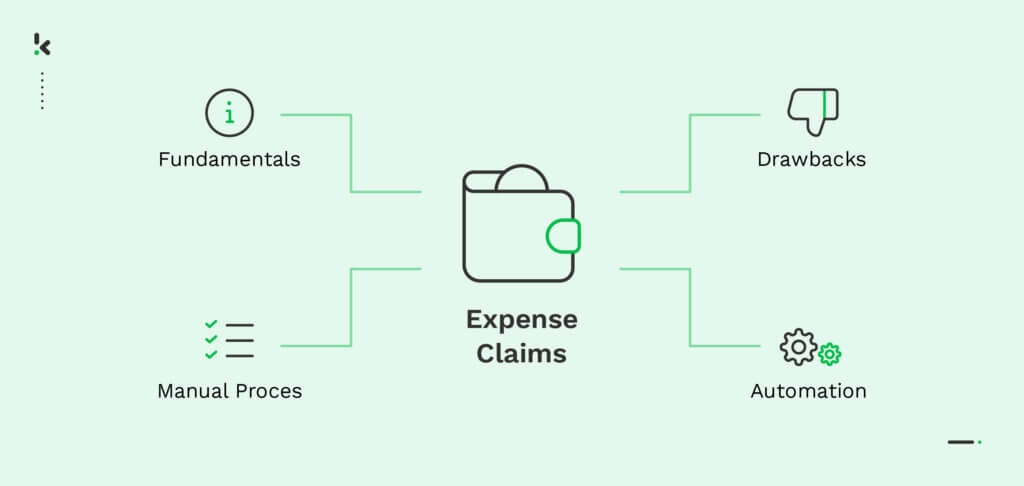
Businesses still relying on paper forms, spreadsheets, and email chains to manage expense claims face rising risks and inefficiencies. According to the Global Payroll Association, 20% of employees admit to submitting incorrect claims, and 10% consistently do so, either accidentally or intentionally. These errors not only slow down reimbursement but also create compliance and audit challenges. With teams spread across regions, currencies, and regulatory environments, manual processes are no longer fit for purpose.
Expense claim automation is no longer a “nice-to-have.” It’s an operational necessity that impacts finance accuracy, fraud prevention, employee satisfaction, and even your bottom line.
Key Takeaways
- Manual expense claim processes are slow, error-prone, and inefficient, leading to delays, compliance issues, and employee frustration.
- Automating expense claims improves speed, accuracy, and visibility, while reducing administrative workload.
- Common use cases for expense claims software include business travel, multi-currency handling, project-based expense tracking, fraud prevention, and regulatory compliance.
- A structured implementation roadmap helps organizations transition smoothly from manual processes to full automation.
- Antwerp University Hospital reduced reimbursement times by up to three times and saved 70 percent in submission time through automation.
What are Expense Claims
Expense claims are reimbursement requests submitted by employees for costs they have covered out-of-pocket while performing business-related activities. These are typically linked to travel, meals, accommodation, transportation, office supplies, or other approved expenses incurred in the course of their work.
To process an expense claim, employees provide details such as the date of the expense, a description of the item or service purchased, the amount spent, and proof of purchase like receipts or invoices. In many organizations, these claims must comply with specific company policies on spending limits, approved expense categories, and documentation requirements.
Challenges with the Manual Expense Claims Process
Despite the availability of modern technology, many organizations still rely on manual processes to handle expense claims. These traditional methods may include paper forms, spreadsheets, email submissions, and physical receipt storage. While familiar, they introduce significant inefficiencies and risks that directly affect both employees and finance teams.
Time consuming
Employees spend valuable time collecting, organizing, and filling out expense forms. Finance teams must manually verify details and cross-check receipts, which diverts focus from higher-value tasks.
Delays in processing and reimbursement
Multiple manual steps create bottlenecks. Claims often sit in inboxes awaiting approval, resulting in longer reimbursement times that reduce employee satisfaction.
Prone to errors
Human error is common when manually entering data from receipts or invoices. Mistakes in amounts, dates, or classifications can lead to disputes, rework, and processing delays.
Risk of fraud
Weak verification in manual workflows makes it easier for falsified or duplicate claims to pass without detection. Lack of centralized oversight increases the financial risk to the organization.
Limited visibility and tracking
Manual processes make it difficult for employees to see the status of claims in real time. Finance teams also lack transparency, which impacts compliance monitoring and reporting accuracy.
These challenges demonstrate that manual expense claim processing is increasingly unsustainable. The longer organizations continue using outdated methods, the more they expose themselves to losses, inefficiency, and compliance risks.
Why You Should Automate Your Expense Claim Procedure
Automating the expense claim process transforms a traditionally slow, error-prone workflow into a fast, accurate, and transparent system. Instead of relying on manual data entry and paper trails, automation uses technology such as Optical Character Recognition (OCR), policy enforcement engines, and integrated approval workflows to handle submissions end-to-end with minimal human intervention.
Time savings
Automation removes repetitive and manual steps like entering receipt data or chasing missing information. This allows employees and finance teams to spend more time on strategic and value-driving activities.
Faster reimbursements
Digital workflows streamline submission, review, and approval. Claims can move from submission to payment within days or even hours, improving employee satisfaction and cash flow management.
Improved accuracy
OCR technology reads and processes receipts with high precision, reducing human errors and the need for rework.
Enhanced policy compliance
Automated systems can enforce company policy rules instantly. Any claim that breaches policy thresholds can be flagged for review, avoiding non-compliant payouts.
Real-time visibility
Employees can track the status of their claims instantly, while finance teams can monitor spending patterns in one centralized dashboard.
Fraud detection and prevention
Modern expense software detects duplicate submissions, irregular spending patterns, and altered receipts using built-in verification and matching tools. Automated audit trails make every claim traceable, reducing opportunities for manipulation and safeguarding company funds.
Integration with accounting and ERP systems
Automation platforms synchronize data directly with your accounting software or ERP system. This reduces reconciliation time and ensures accurate financial reporting.
Digital audit trail
Each action taken in the expense process is logged and stored, providing accountability and supporting internal audits or regulatory compliance.
By replacing manual processes with automated systems, organizations can eliminate inefficiency, reduce financial risk, and create a more reliable framework for managing expenses.
Use cases of Expense Claim Software
Expense claim software is most valuable when it solves specific, recurring challenges that manual processes cannot handle efficiently. The right platform can adapt to diverse industries, operational structures, and compliance needs while streamlining workflows and improving accuracy.
Business travel management
Employees travelling frequently benefit from mobile receipt capture. Digital expense systems allow travelers to upload proof of expenses instantly, eliminating the risk of losing receipts and reducing backlog on return.
Multi-currency expenses
Organizations operating internationally face complexity when claims are submitted in different currencies. Automated solutions can detect currency values directly from receipts, apply real-time exchange rates, and ensure accurate conversions for finance records.
Project-based expense tracking
In industries such as construction, consulting, or marketing, expenses often need to be linked to specific projects or clients. Expense software can tag claims accordingly, integrate with project management or ERP systems, and keep budgets accurate.
Fraud prevention in high-volume claims
Businesses with high volumes of monthly submissions are more exposed to fraud risk. Automation enforces policy rules, detects duplicates through OCR matching, and flags suspicious items for review before approval.
Remote and hybrid workforce support
Distributed teams struggle with traditional claim processes. Cloud-based expense systems enable remote submission, digital approvals, and centralized reporting that can be accessed from any location.
Compliance in regulated industries
Organizations in healthcare, finance, or government have strict documentation and audit requirements. Expense automation ensures complete audit trails and supports data protection standards such as GDPR and ISO 27001.
These use cases demonstrate how digital expense management solutions can address operational bottlenecks, increase accuracy, and protect against fraud, regardless of industry or company size.
Implementation Roadmap of Expense Claims Software
Transitioning from manual expense claim processes to a fully automated system can be achieved in a structured way that minimizes disruption and maximizes adoption. A clear roadmap ensures stakeholders understand the process, timelines are realistic, and the organization gains benefits quickly.
- Step 1: Assess current processes: Begin with a comprehensive review of your existing expense management workflow. Identify inefficiencies, common errors, areas prone to fraud, and compliance gaps. This baseline analysis will guide system requirements and help set measurable goals.
- Step 2: Define requirements and budget: Outline the features needed, such as mobile receipt capture, multi-currency support, policy enforcement, ERP integration, and audit trails. Factor in anticipated transaction volumes, user numbers, and compliance needs to determine the appropriate budget.
- Step 3: Select a suitable solution: Research potential expense management platforms that match your requirements. Evaluate vendor capabilities, security credentials, integration compatibility, and customer support levels. Engage stakeholders from finance, IT, and compliance teams in the selection process.
- Step 4: Plan integration and data migration: Work with your chosen vendor to develop a clear integration plan. This includes connecting to accounting or ERP systems, importing historical claim data where necessary, and setting up user accounts. Ensure that data migration processes maintain accuracy and meet compliance standards.
- Step 5: Configure policies and workflows: Set up the software to match your company’s expense policies. Define approval hierarchies, spending limits, allowed categories, and exception handling procedures. Automation rules should reflect actual organizational needs.
- Step 6: Train and onboard users: Provide training to finance teams, managers, and employees. Offer clear instructions on claim submission, mobile app use, document storage, and checking claim status. Ensure support resources such as guides or helpdesk access are available.
- Step 7: Monitor and optimize: Track performance metrics such as average reimbursement time, error rate, fraud detection rate, and user satisfaction. Adjust configurations, workflows, and policies to further improve efficiency and compliance over time.
A well-executed implementation roadmap reduces friction, accelerates ROI, and lays the groundwork for a long-term, reliable expense management process.
Case Study: Antwerp University Hospital (UZA)
Antwerp University Hospital employs over 3,000 staff, including many doctors who regularly submit expense claims. Their manual process relied on paper forms, internal mail, and multiple approval steps, often taking up to three weeks and causing frustration among employees.
To improve efficiency, UZA implemented Doxis SpendControl which integrated with their custom accounting software. Employees now submit claims by taking a photo of the receipt, adding a description, and sending it directly to the correct approver.
The results speak for themselves:
- Up to 70 percent time savings in submitting claims
- Reimbursement times up to three times faster
- Fewer errors and better overall visibility of expenses
Automation freed up valuable time for staff to focus on patient care, while reducing administrative workload for the finance department.
Automate Your Expense Claims Process with Doxis SpendControl
Doxis SpendControl provides a fully digital workflow for submitting, approving, and processing expense claims. By replacing manual data entry and physical paperwork with streamlined automation, the platform ensures speed, accuracy, and compliance from start to finish. Using OCR technology, receipts are scanned and processed in seconds, while centralized dashboards keep both employees and finance teams informed in real time.
The easy-to-use web and mobile applications allow claims to be submitted on the go, automatically routed to the right approvers, and integrated directly into accounting or ERP systems without manual intervention.
Key performance improvements with Doxis SpendControl:
- Up to 70 percent time savings in claim submission
- Three times faster reimbursement compared to manual processes
- Over 95 percent OCR accuracy, reducing errors and rework
- Full compliance enforcement with automated policy checks
- Complete digital audit trail for transparency and regulatory requirements
- Seamless integration with existing accounting and ERP systems
Don’t hesitate to contact one of our experts or book a free demo. Our team is excited to showcase how Doxis SpendControl can benefit your business and streamline your expense claim processes.
FAQ
Expense claim automation uses technology like optical character recognition (OCR) and workflow management software to digitize receipts, enforce company policies, and route claims directly to the right approvers for faster processing and fewer errors.
Is automation secure for financial data?
Yes. Modern expense management platforms use secure data storage, encryption, and compliance with standards such as GDPR and ISO 27001 to protect sensitive information.
Can expense claim software handle multiple currencies and tax rules?
Yes. Automation can detect currency from receipts, apply exchange rates, and support local tax regulations to ensure accurate reporting.
What kind of ROI can businesses expect from automation?
Organizations often see significant time savings, faster reimbursement cycles, fewer errors, and improved policy compliance which together result in a measurable financial return within months.
Do employees need training to use the system?
Minimal training is required. Most platforms are designed to be user-friendly and offer intuitive mobile and web interfaces that make onboarding quick and simple.