

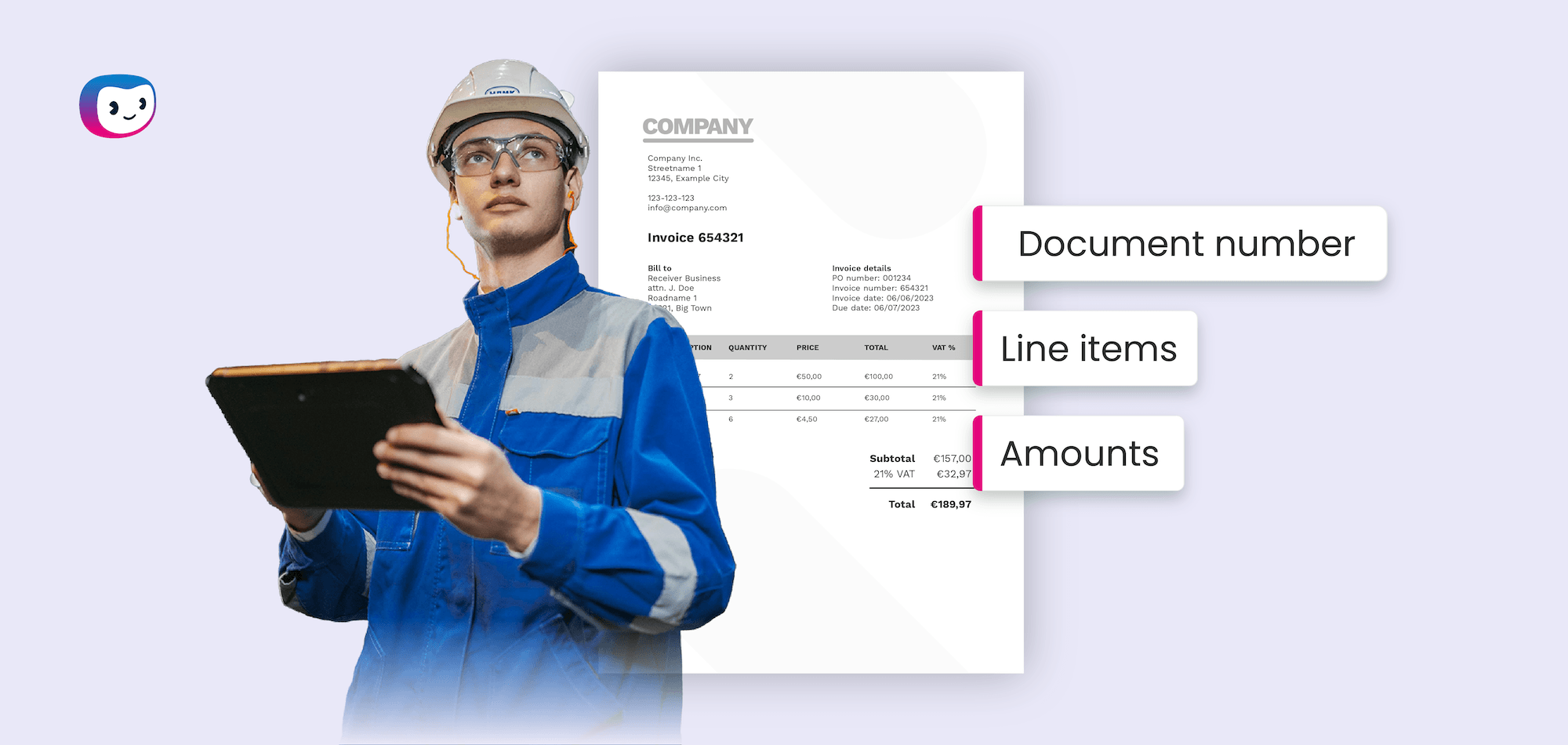
Your AP team is buried in invoices. Every purchase order, every raw material delivery, every MRO supplier payment requires someone to manually key data into your ERP, cross-check it against a PO, chase down approvals, and fix the errors that inevitably creep in.
In manufacturing, where supplier volumes are high and invoice formats vary wildly, this manual workload compounds fast.
According to Ardent Partners (2024), organizations without best-in-class AP automation spend an average of $12.88 to process a single invoice and take 17.4 days to complete the cycle. For a mid-sized manufacturer handling thousands of invoices per month, that adds up to hundreds of thousands of dollars in hidden processing costs every year.
AP automation in manufacturing eliminates this bottleneck.
This guide breaks down what AP automation looks like in a manufacturing environment, why the industry’s unique challenges demand more than a generic solution, and how to move from manual data entry to automated invoice processing.
Key Takeaways
- AP automation in manufacturing replaces manual invoice data entry, PO matching, and ERP posting with AI-powered workflows that cut processing costs by up to 80%
- Manufacturing AP is uniquely difficult because invoices arrive in dozens of formats from large supplier bases, and PO numbers are buried in line items rather than headers
- Automation starts with accurate data extraction: matching and approval routing only work when invoice data is structured correctly from the start
- Intelligent Document Processing (IDP) software extracts header and line-item data from any invoice format, including scanned PDFs, email attachments, and images
- The right AP automation software converts extracted invoice data into your ERP’s required format (XML, JSON, CSV) and posts it without manual intervention
- Manufacturers who automate AP report faster cycle times, fewer errors, stronger supplier relationships, and significant cost savings per invoice
What is AP Automation in Manufacturing?
AP automation in manufacturing is the use of software to handle the entire accounts payable workflow, from invoice capture and data extraction to purchase order matching, approval routing, and ERP posting, without manual data entry. It replaces paper-based and semi-manual processes with digital workflows powered by technologies like Optical Character Recognition (OCR), Intelligent Document Processing (IDP), and machine learning.
Unlike generic AP automation, manufacturing-specific AP automation must handle high invoice volumes from diverse supplier bases, extract PO numbers from invoice line items for two-way and three-way matching, and output structured data in the exact format your ERP requires.
Why Manual AP is a Bigger Problem in Manufacturing
Every industry struggles with manual AP processes, but manufacturing faces a set of challenges that make the problem significantly worse. Here is what makes your AP department different.
High invoice volumes from diverse supplier bases
A single finished product involves dozens of suppliers: raw materials, packaging, components, MRO supplies, logistics providers, and contract manufacturers. Each supplier sends invoices on their own schedule, in their own format, through their own channel. Your AP team receives hundreds or thousands of invoices per month, and every one requires manual handling.
According to the IFOL Accounts Payable Automation Trends report (2025), 63% of AP teams spend more than 10 hours per week on invoice processing alone. In manufacturing environments with high supplier counts, that number is even higher.
Invoices arrive in every format imaginable
Your suppliers do not all use the same invoicing software, and they do not all send structured electronic invoices. You receive PDFs via email, scanned paper invoices, image files, and invoices embedded in the body of an email. Each format requires different handling, and none of them are ready to be posted to your ERP without extraction and reformatting.
This format diversity is the root cause of most AP bottlenecks in manufacturing. When your team has to manually read each invoice and type the data into your system, every format variation slows the process down and increases the risk of errors. For manufacturers dealing with documents beyond invoices, such as delivery notes, purchase orders, and packing slips, the challenge extends across your entire document processing workflow.
PO matching breaks down without accurate data extraction
Two-way matching (invoice to PO) and three-way matching (invoice to PO to goods receipt) are critical controls in manufacturing AP. But here is the problem: PO numbers are not always in the invoice header. In many manufacturing invoices, PO references are buried in individual line items, spread across multiple lines, or formatted inconsistently from one supplier to the next.
When your team manually compares invoices to purchase orders before processing, this becomes a time-intensive task. If the PO number is extracted incorrectly, or not extracted at all, the match fails. The invoice goes into an exception queue. Someone has to investigate, correct, and reprocess it. This is where most AP automation solutions fall short: they assume the data is already clean and structured. In reality, the extraction step is where everything breaks.
ERP integration demands structured, exact data
Manufacturing companies rely on ERP systems like SAP, Oracle, Microsoft Dynamics, or industry-specific platforms to manage their operations. These systems accept invoice data in specific formats, most commonly XML, but also JSON, CSV, or EDI. Posting an invoice to your ERP requires that every field, from vendor ID to tax code to line-item amounts, matches the expected schema exactly.
When invoices are processed manually, your AP clerk becomes the translator between the supplier’s format and your ERP’s requirements. This is slow, error-prone, and impossible to scale. Every keystroke is a potential mismatch. For a deeper look at how to eliminate this manual step, see our guide on ERP invoice processing.
What Does AP Automation in Manufacturing Look Like in Practice?
Moving from manual AP to an automated workflow does not happen in one step. Here is how the process works, from invoice receipt to ERP posting.
Step 1: Capture invoices from any source or format
Invoices enter your AP workflow through multiple channels: email inboxes, supplier portals, scanned mail, and shared drives. AP automation software consolidates all of these sources into a single intake point. Whether an invoice arrives as a structured PDF, a photographed image, or an email attachment, the system captures it and prepares it for processing.
This first step eliminates the manual sorting and filing that consumes your team’s time. Instead of opening emails one by one, downloading attachments, and organizing files, the software does it automatically. For manufacturers processing large volumes, batch invoice processing further accelerates this stage.
Step 2: Extract and structure data with IDP
This is the step that separates effective AP automation from the rest. Intelligent Document Processing (IDP) software uses OCR and machine learning to read the invoice, identify relevant fields, and extract structured data: vendor name, invoice number, date, amounts, tax, and, critically, PO numbers at the line-item level.
IDP handles the format diversity that makes manufacturing AP so difficult. It does not require templates for each supplier. Instead, it learns to recognize invoice layouts and extracts data accurately regardless of format. The output is clean, structured data ready for matching and ERP posting.
Without this step, everything downstream fails. If the PO number is wrong, matching breaks. If the amounts are misread, your ERP rejects the entry. Accurate extraction is the foundation of the entire automated workflow.
Step 3: Automate PO matching at line-item level
With structured data in hand, the software automatically matches invoice line items against your purchase orders. Two-way matching compares invoice data to the PO. Three-way matching adds the goods receipt to the comparison. The system flags discrepancies, such as quantity mismatches, price differences, or missing PO references, and routes only the exceptions to a human reviewer.
For manufacturers, line-item-level matching is essential. A single invoice from a supplier might reference multiple POs across different production orders. Automated matching at the line-item level handles this complexity without requiring your team to manually cross-reference spreadsheets and PO records.
Step 4: Route for approval and post to ERP
Invoices that pass matching rules move automatically into your approval workflow. The software routes each invoice to the right approver based on predefined rules: by amount, department, cost center, or project code. Approvers review and sign off from their desktop or mobile device.
Once approved, the system converts the invoice data into the exact format your ERP requires and posts it directly. No manual data entry. No reformatting. No copy-paste from one system to another. The invoice moves from receipt to ERP in a fraction of the time it took before, with a full audit trail at every step.
Key Benefits of AP Automation for Manufacturers
Automating your AP workflow delivers measurable improvements across your finance operation:
- Lower processing costs: Ardent Partners (2024) reports that best-in-class AP organizations process invoices for just $2.78 each, compared to $12.88 for those relying on manual methods. That is a 78% cost reduction per invoice
- Faster cycle times: Automated AP teams process invoices in 3.1 days on average, versus 17.4 days for manual teams, according to the same research. Faster processing means fewer late payments and more opportunities to capture early payment discounts
- Fewer errors and exceptions: Manual data entry introduces mistakes at every step. Automated extraction and matching reduce error rates dramatically, keeping invoices out of exception queues and moving through the workflow without interruption
- Improved supplier relationships: When you pay suppliers on time and resolve disputes faster, you strengthen partnerships that are critical to your production schedule. Late payments and frequent errors erode trust and disrupt your supply chain
- Better visibility and control: Automation gives your finance team a real-time view of invoice status, approval bottlenecks, and spend patterns. This visibility supports smarter cash flow management and more accurate forecasting
- Scalability without headcount increases: As your invoice volumes grow with your business, automation handles the additional load without requiring you to hire more AP staff
What To Look for in AP Automation Software for Manufacturing
Not all AP automation solutions are built for the complexity of manufacturing. When evaluating software, prioritize these capabilities:
Accurate data extraction from any format
Your software must handle PDFs, scanned documents, images, and email attachments without requiring supplier-specific templates. Look for IDP-powered extraction that reads line items, PO numbers, tax codes, and amounts with high accuracy, regardless of layout.
Line-item-level PO matching
Header-level matching is not enough for manufacturing. You need software that extracts and matches at the line-item level, supporting both two-way and three-way matching across complex, multi-PO invoices.
ERP-native output formats
Your AP software must generate data in the exact format your ERP expects, whether that is XML, JSON, CSV, or another schema. Avoid solutions that require additional middleware or manual reformatting to post data.
Multi-channel invoice capture
Suppliers send invoices through email, portals, mail, and shared drives. Your software should consolidate all channels into one automated intake workflow.
Configurable approval workflows
Manufacturing organizations have complex approval hierarchies that vary by amount, department, plant, or project. Your software should support flexible routing rules without requiring custom development.
Audit trail and compliance features
Regulatory compliance and internal controls matter in manufacturing. Look for software that logs every action, from capture to ERP posting, and makes audit trails accessible.
How Doxis AI.dp Helps Manufacturers Automate AP
If your AP team is still manually processing invoices, matching them to POs by hand, and reformatting data for your ERP, Doxis AI.dp gives you a faster path forward.
Doxis AI.dp is an Intelligent Document Processing software built to solve the exact problem that sits before matching and approval: extracting accurate, structured data from invoices in any format. Where other AP automation solutions assume your data is already clean, Doxis starts one step earlier, turning unstructured invoices into ERP-ready data.
Here is what Doxis AI.dp delivers for manufacturing AP:
- AI-powered data extraction: Reads invoices in any format, including PDFs, scans, and images, and extracts header and line-item data with over 99% accuracy
- PO number extraction from line items: Identifies and extracts PO references from individual line items, not just headers, enabling reliable two-way and three-way matching
- ERP-ready output in any format: Converts extracted data into XML, JSON, CSV, or any structured format your ERP requires, eliminating manual reformatting
- Multi-channel intake: Captures invoices from email, portals, scanned documents, and shared drives in a single automated workflow
- No-code workflow configuration: Set up and adjust extraction rules, approval routing, and output formats without requiring IT involvement or custom development
- Processing in seconds: Extracts and structures invoice data in under five seconds per document, replacing minutes of manual work per invoice
Doxis AI.dp integrates with your existing ERP and financial systems via API or SDK, fitting into your current tech stack without disruption. Whether you run SAP, Oracle, Microsoft Dynamics, or an industry-specific platform, Doxis AI.dp delivers structured invoice data directly into your system.
Ready to eliminate manual invoice processing? Get in contact with one of our experts or book a demo below and see how Doxis AI.dp automates AP for manufacturers.
FAQ
AP automation in manufacturing is the use of software to automate the accounts payable workflow, from invoice capture and data extraction to PO matching, approval routing, and ERP posting. It replaces manual data entry and paper-based processes with digital workflows powered by OCR, IDP, and machine learning.
How much does manual invoice processing cost in manufacturing?
According to Ardent Partners (2024), organizations without automation spend an average of $12.88 per invoice. For manufacturers processing thousands of invoices monthly, that translates to significant annual costs. Best-in-class AP teams using automation reduce this to $2.78 per invoice.
What is the difference between AP automation and Intelligent Document Processing?
AP automation covers the full accounts payable workflow: capture, matching, approvals, and payment. Intelligent Document Processing (IDP) focuses specifically on extracting and structuring data from documents. IDP is the technology layer that powers the extraction step within AP automation, turning unstructured invoices into machine-readable data.
Why is PO matching harder in manufacturing?
Manufacturing invoices frequently contain PO references at the line-item level rather than the header. A single invoice references multiple POs across different production orders. Accurate PO matching requires software that extracts and matches at the line-item level, not just the header.
Can AP automation software integrate with any ERP?
Yes, modern AP automation software connects to ERP systems like SAP, Oracle, Microsoft Dynamics, and others through APIs or pre-built integrations. The key requirement is that the software outputs data in the format your ERP accepts, such as XML, JSON, or CSV.
How long does it take to implement AP automation in a manufacturing company?
Implementation timelines vary based on complexity, but cloud-based AP automation solutions are configured and live within weeks. The most important factor is how well the software handles your specific invoice formats and ERP integration requirements.
What is the ROI of AP automation for manufacturers?
AP automation reduces processing costs by up to 80%, cuts cycle times from weeks to days, and eliminates errors caused by manual data entry. For a manufacturer processing 5,000 invoices per month, the savings in labor, error correction, and early payment discounts add up to significant returns within the first year.
Does AP automation replace AP staff?
AP automation does not eliminate the need for AP professionals. It eliminates the repetitive, low-value tasks that consume most of their time, like data entry and manual matching. This frees your team to focus on exception handling, supplier management, cash flow strategy, and other work that requires human judgment.