


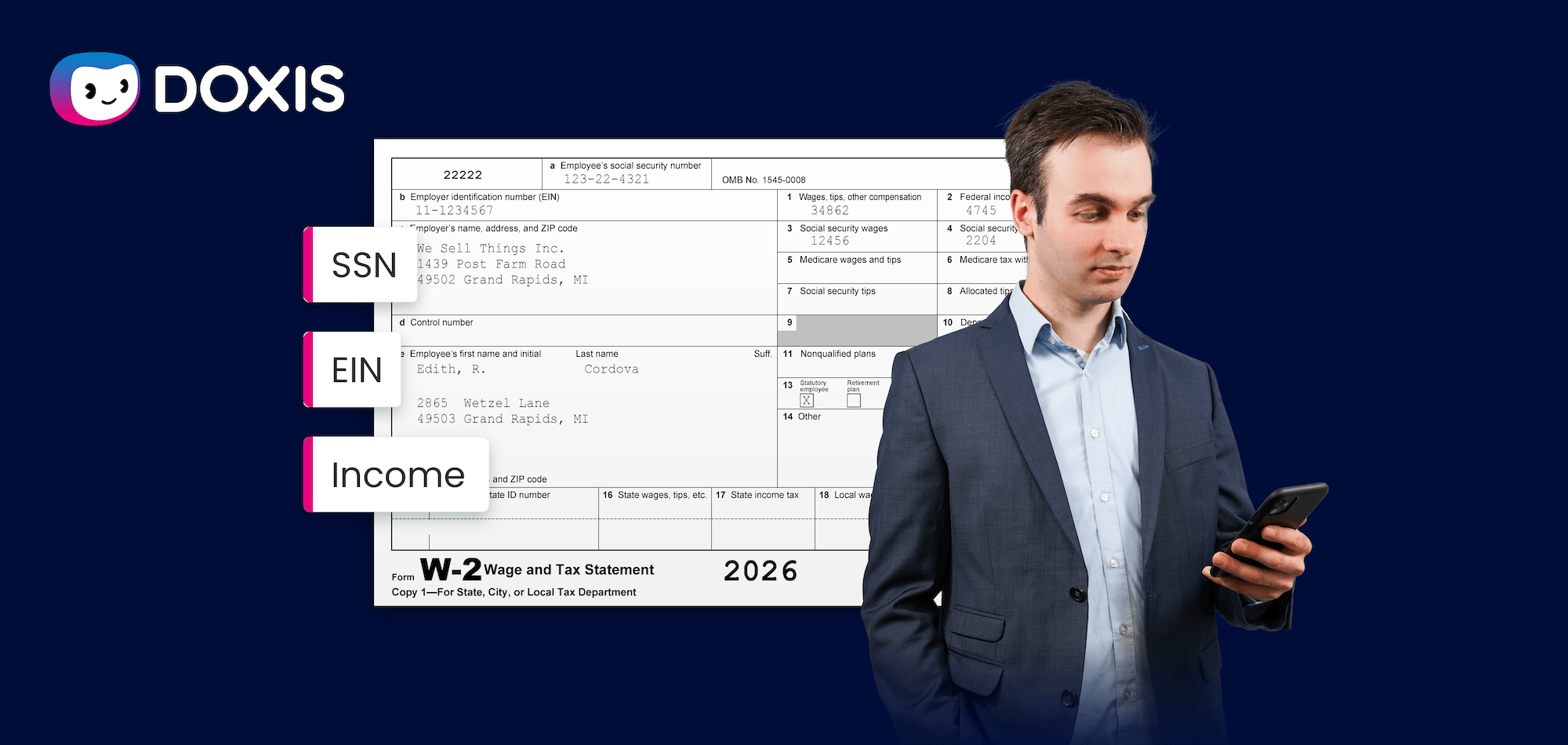
Every tax season, your business faces a tidal wave of paperwork. If your team is still manually typing data from W-2s, 1099s, or 1040s into your tax software, you are hitting a massive bottleneck.
This slow, repetitive process does more damage than just wasting time, errors slip through, audits get triggered, and your clients are left waiting on refunds.
Manual entry is starting to become a competitive liability. With the IRS moving toward real-time digital reporting, a single transposed digit can now lead to immediate compliance flags.
Your skilled tax professionals should not be spending over 50% of their day as data typists, while your competitors use AI to close books a week faster than you.
The solution lies in automated data extraction from tax returns.
By leveraging Intelligent Document Processing (IDP), you can transform hours of manual labor into seconds of automated precision. This AI-driven approach lets you capture, validate, and export tax data with near-perfect accuracy, freeing your team to focus on high-value advisory work.
Key Takeaways
- Manual Data Entry is a Liability: Relying on human typing for tax forms is slow, expensive, and a primary source of errors that lead to IRS audits and penalties.
- AI-Powered Precision: Intelligent Document Processing (IDP) achieves up to 99% accuracy by using context-aware AI to extract data from W-2s, 1099s, and 1040s.
- Exponential Efficiency Gains: Automation reduces data entry time by 95%, allowing finance teams to focus on high-value advisory work instead of administrative grunt work.
- Scalability and Resilience: Automated workflows enable your business to handle peak tax season without increasing seasonal headcount or risking staff burnout.
- Security and Fraud Prevention: Modern IDP solutions include automated fraud detection and GDPR-compliant security to protect sensitive taxpayer data.
What is Automated Data Extraction from Tax Returns?
Automated data extraction from tax returns uses Artificial Intelligence (AI), Machine Learning (ML), and Optical Character Recognition (OCR) to automatically identify, capture, and structure data from tax documents like W-2s, 1099s, and 1120 forms.
This technology has evolved beyond simple text recognition into Intelligent Document Processing. IDP understands the context of financial data, validates it against IRS rules, and exports it directly into accounting systems without manual intervention.
Think of it as a digital brain that reads documents exactly like a tax professional would, but at a fraction of the time. Instead of your team spending hours cross-referencing line items, the AI handles the heavy lifting by:
- Classifying Document Types: Instantly identifying if a file is a W-2, a 1099-INT, or a K-1 schedule.
- Capturing Specific Fields: Pulling Social Security Numbers (SSN), Employer Identification Numbers (EIN), federal withholdings, and adjusted gross income.
- Validating Data Accuracy: Checking for mathematical consistency and flagging discrepancies for human review.
- Structuring Unstructured Content: Converting messy scans, photos, or handwritten notes into clean, machine-readable JSON or Excel formats.
Why Should You Implement Tax Return Automation?
No one goes into tax or accounting because they enjoy manual data entry. Yet, every year, highly paid professionals spend half their time acting as human bridges between a PDF and a spreadsheet.
Staying manual is not just old school. It is a massive drain on your resources. Here is why your business needs to move past the manual era:
Precision
Human eyes get tired; AI does not. After the 500th W-2 of the week, it is incredibly easy to miss a decimal point or misread a blurry scan.
By letting an IDP system handle the initial data capture, you remove the fatigue factor. You shift your team’s role from entering data to auditing data, which is where their real value lies.
Scalability
The old way to grow a tax practice was to hire more seasonal staff. But finding good people is harder and more expensive than ever.
Automation gives you elasticity. Whether you are processing 100 or 10,000 tax forms, the software does not care. It lets you take on more clients during peak season without the stress of a massive hiring spree or the overhead that comes with it.
Solving the Talent Burnout Problem
The Great Resignation in the accounting world is real. People leave because they are burnt out by mountains of administrative grunt work.
When you automate the tedious parts of tax prep, you are essentially giving your team their time back. It turns the job into what it was supposed to be: analyzing numbers and solving problems for clients, rather than moving text from box A to box B.
Faster Turnaround for Your Clients
In a world of instant gratification, clients are not patient. They want to know their tax liability or refund status now, not in three weeks.
When you can ingest and extract data the moment it is uploaded, you compress your entire processing lifecycle. You become the firm that gets things done quickly and accurately, which is the easiest way to win and keep high-value business.
Future-Proofing for Digital Reporting
Tax authorities worldwide are moving toward a digital-first reporting model. This means that soon, manual entry will not just be slow. It will be incompatible with how government portals receive data.
Building an automated pipeline now ensures you are already ahead of the curve when these digital mandates become the law of the land.
Implementation Guide: Five Steps to Automate Your Tax Workflow
Transitioning to an automated tax extraction system is about building a scalable pipeline. To get the best results, shift from a document-centric mindset to a data-centric one.
1. Audit Your Document Ingestion Channels
Begin by mapping every entry point where tax documents enter your organization.
Whether it is client portals, email attachments, mobile uploads, or physical mail, you must centralize these inputs. Identifying all sources lets you create a unified digital stream that feeds directly into your extraction engine, eliminating manual sorting.
2. Select an IDP-Capable Technology Stack
Standard OCR is insufficient for the complexity of tax forms. It merely identifies text.
You need IDP. When evaluating a platform, prioritize template-free extraction. This ensures the system can interpret data from various layouts, such as different versions of Form 1099, without requiring manual reconfiguration for each new document.
3. Define Your Data Extraction Parameters
Efficient automation relies on precision. Identify the specific fields necessary for your filing process: Social Security Numbers (SSN), Employer Identification Numbers (EIN), and specific income or withholding totals.
By focusing your AI on these high-priority fields, you increase processing speed and simplify the downstream validation process.
4. Establish API and ERP Integrations
Automated data is only valuable if it is accessible. Use APIs or native connectors to link your extraction platform directly to your tax preparation software, CRM, or ERP, such as Xero, QuickBooks, or SAP.
The goal is a one-way flow where data moves from the client to the tax return with zero manual entry.
5. Implement a Human-in-the-Loop (HITL) Review
Tax compliance is too critical to be left entirely unmonitored. Establish a confidence threshold within your workflow.
If the AI’s confidence in a specific data point falls below a set percentage, perhaps due to a low-quality scan, the system automatically flags that document for a brief human review. This ensures 100% data integrity while still automating the vast majority of your workload.
Use Cases for Tax Data Automation
Automated extraction is not just for filing returns. It is a powerful tool for any business process that requires the verification of financial data.
Here is how organizations are using IDP to solve real operational challenges:
Mortgage and Loan Underwriting
Lenders must verify a borrower’s income by analyzing years of personal and business tax returns. Traditionally, mortgage processing involved days of manual stare-and-compare work.
IDP automates the extraction of Form 1040 and W-2 data to instantly calculate debt-to-income (DTI) ratios. This accelerates pre-approval from days to minutes, significantly improving the customer experience and reducing the cost of loan origination.
Corporate Tax Compliance and Auditing
Large corporations often handle thousands of 1099-NEC and 1099-MISC forms from contractors and vendors.
IDP extracts payment data from these forms and cross-references it with internal accounts payable records. Automated reconciliation identifies discrepancies before they become audit risks, keeping the company compliant without ballooning the finance team.
Employee Onboarding and Payroll Verification
When a company hires new employees, various tax-related documents must be processed to set up payroll and ensure legal compliance.
IDP extracts data from Form W-4 and previous W-2s to automate employee onboarding in HRIS (Human Resources Information Systems) systems. This reduces onboarding time and eliminates data entry errors in payroll that could lead to incorrect tax withholdings and subsequent penalties.
High-Volume Tax Preparation for Accounting Firms
For firms specializing in tax, peak season volume is the primary bottleneck.
A Digital Mailroom automatically classifies incoming client documents, including Schedules C, E, and K-1, and extracts the relevant figures for the tax preparer. This shifts the firm’s model from data collection to data review, allowing them to handle significantly more clients during Q1 without increasing seasonal headcount.
Government and Public Sector Processing
Tax authorities and government agencies use extraction technology to handle the massive influx of annual filings.
Automating the ingestion of paper-based or scanned returns to populate central databases means faster processing, earlier refunds for citizens, and more effective AI-driven fraud detection to identify suspicious patterns.
Streamline Your Tax Operations with Doxis AI.dp
Do you want to simplify tax document management, enhance productivity, and significantly reduce operational costs?
Doxis AI.dp is your Intelligent Document Processing solution for automated tax return data extraction. It captures, extracts, and converts data from forms like W-2s, 1099s, and 1120s into structured, actionable information, with no manual data entry required.
By choosing Doxis, your business benefits from:
- Accurate Data Extraction: Easily pull critical details including SSNs, EINs, federal withholdings, and itemized deduction data.
- Privacy & Compliance: Protect sensitive taxpayer data and remain fully compliant with GDPR using our secure, localized hosting options.
- Flexible Output Formats: Convert extracted tax data into JSON, CSV, XML, or PDF for smooth integration with your existing tax software.
- Fraud Detection: Automatically spot tampered documents or inconsistent financial figures to prevent audits and financial losses.
- Intelligent Classification: Automatically sort and categorize various schedules and supporting documents so your digital files are always organized.
- Customizable Workflows: Use our Flow Builder to create automated rules that handle document routing and approval based on your specific requirements.
- Seamless Integration: Our robust APIs, SDKs, and developer-friendly documentation make it simple to connect Doxis to your ERP, CRM, or accounting tools.
Let us help you revolutionize your business operations with cutting-edge AI. Contact our team or book a free demo below to see Doxis AI.dp in action!
FAQ
IDP reaches up to 99% accuracy. It recognizes context better than traditional OCR, and any low-confidence data is flagged for a quick human review to ensure 100% integrity.
2. Is the sensitive data on tax returns secure?
Yes. Systems like Doxis are built with Privacy by Design, offering GDPR compliance, end-to-end encryption, and local hosting to ensure sensitive taxpayer information never leaves your jurisdiction.
3. How fast is the integration with my current software?
Using robust APIs and SDKs, integration is swift. Most businesses can connect the extraction engine to their ERP or tax software, such as Xero or QuickBooks, in just a few days.
4. Does the AI stay updated with new IRS forms?
Yes. Cloud-based IDP models are updated automatically. When the IRS releases new form versions or tax law changes occur, the AI is retrained to recognize them without any manual effort from you.
5. Which tax documents can be automated?
Almost all of them. This includes high-volume forms like W-2s, 1099s, and 1040s, as well as complex schedules (K-1, Schedule C) and supporting documents like receipts and bank statements.
6. Does this replace my tax professionals?
No. It replaces the data entry part of their job. Automation handles the grunt work so your experts can focus on high-level tax strategy, auditing, and client advisory services.
7. Can the system detect fraudulent tax documents?
Yes. The software includes built-in fraud detection that identifies tampered fields, font inconsistencies, or duplicate filings, protecting your business from processing fake returns.